Activ-Pro User / Troubleshooting Guide | 6
amqsolutions.com
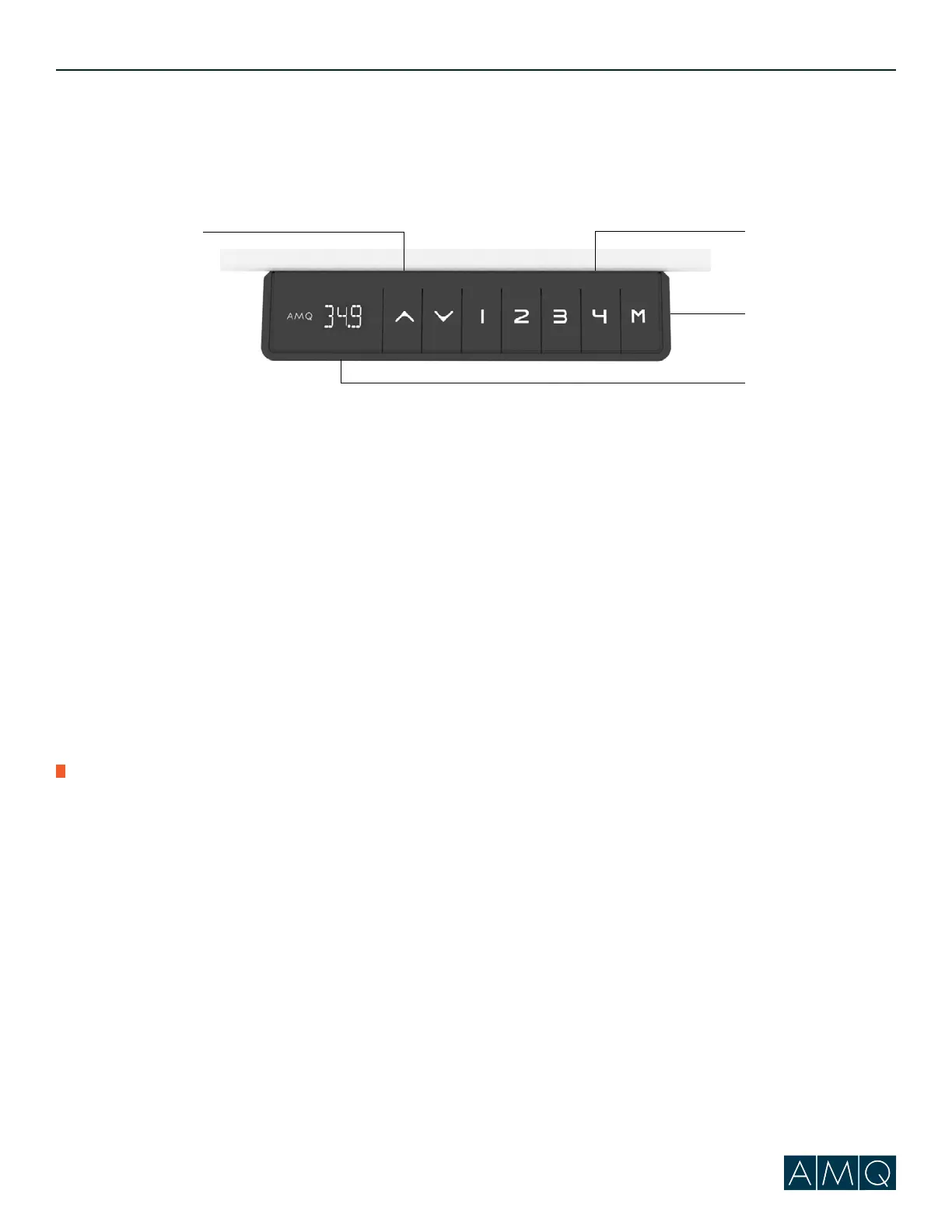
Programming Memory Presets
1. Press the up or down arrow to set the worksurface to the desired height.
2. Press “M” button followed by one of the preset number buttons (1, 2 or 3) on the LED screen.
3. The table will automatically reset to this height whenever the preset number is pressed and held* until the
preset height is reached.
Power Saving Mode - Waking up the Hand Set
1. Press any button to wake up handset.
Resetting the Base
Note: Make sure there is nothing under the base before setting to its lowest level (24.5”).
If the cable is obstructed it will not reset properly.
1. Press and hold the Down arrow; the desk will begin to go down.
2. Once the desk reaches its lowest height, continue to press the Down arrow for 5 seconds, until the digital
display shows “RST”.
3. Release and then press the Down arrow again; the recalibration process will now begin.
4. When reset is complete, the digital display will show “24.5”.
Hard Reset for E07/E08 (If base is half way or full standing position)
1. Press on the down button and hold until you see ASR code and release.
2. Immediately after releasing down button, press and hold down button again, the base will slowly go down.
3. Hold the down button until the base hits bottom, keep holding down button and wait for the base to bump up.
4. Release when you see height numbers. Your base is reset.
A. Height Adjustment Buttons
B. Memory Position Buttons
C. Memory Setting Button
D. Digital Display
A
B
C
D
!
*Previous versions of ACTIV have “press and go” technology and don’t require the hold of a button to reach
pre-programmed heights.
User Guide



 To Next Page