After this procedure the Arduino UNO is ready for usage with the LabVIEW Evaluation GUI of the
AS5600.
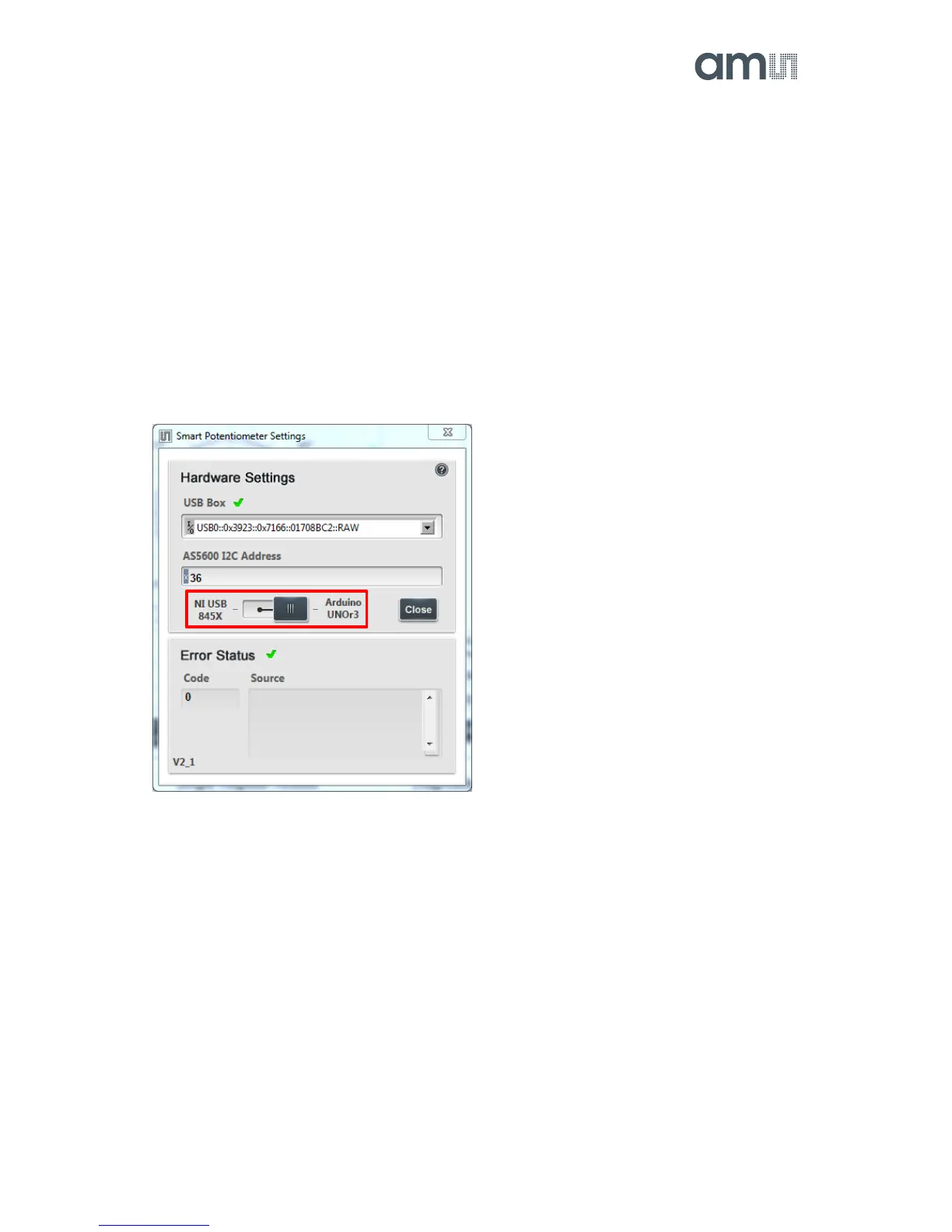
If the Hardware Settings window opens, the switch has to be moved to “Arduino UNOr3”. This is
show in Figure 4: AS5600 Evaluation GUI – Hardware Settings below.
A green tick indicates successful communication with the sensor. For further information about the
AS5600 LabVIEW Evaluation GUI please refer to the User Manual.
Figure 4: AS5600 Evaluation GUI – Hardware Settings


 To Next Page