3.2 Using the Arduino IDE
3.2.1 Installing the Arduino library
The Arduino library for the AS5600 sensor can be downloaded from the ams webpage.
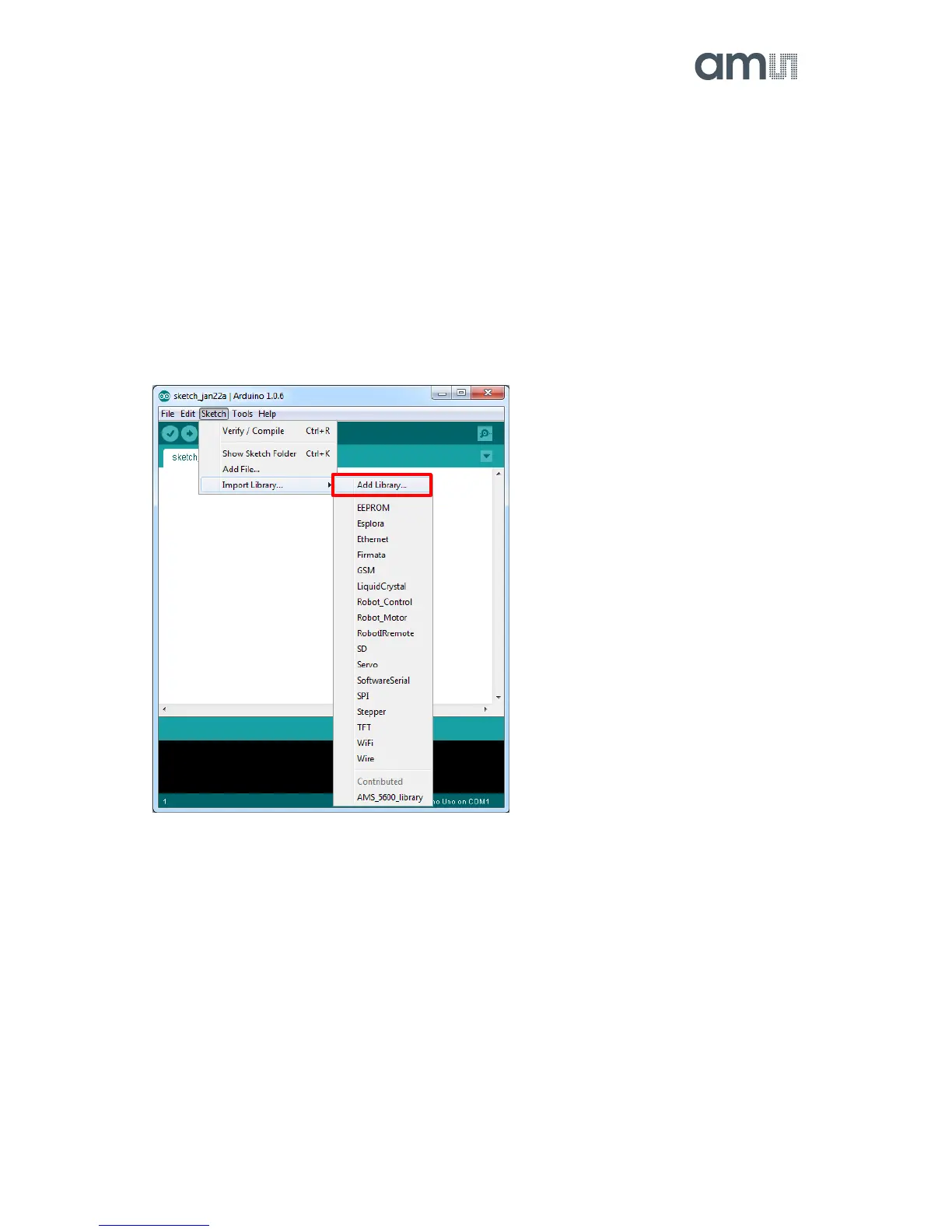
To add an existing library open the Arduino IDE, click Sketch in the menu bar. Then Import Library
and Add Library.
Then choose the AMS_5600_library.zip and open it.
Figure 5: Adding the AS5600 library
When including the header file to a new sketch all the functions of the library are available.
e.g.
#include <AMS_5600.h>


 To Next Page