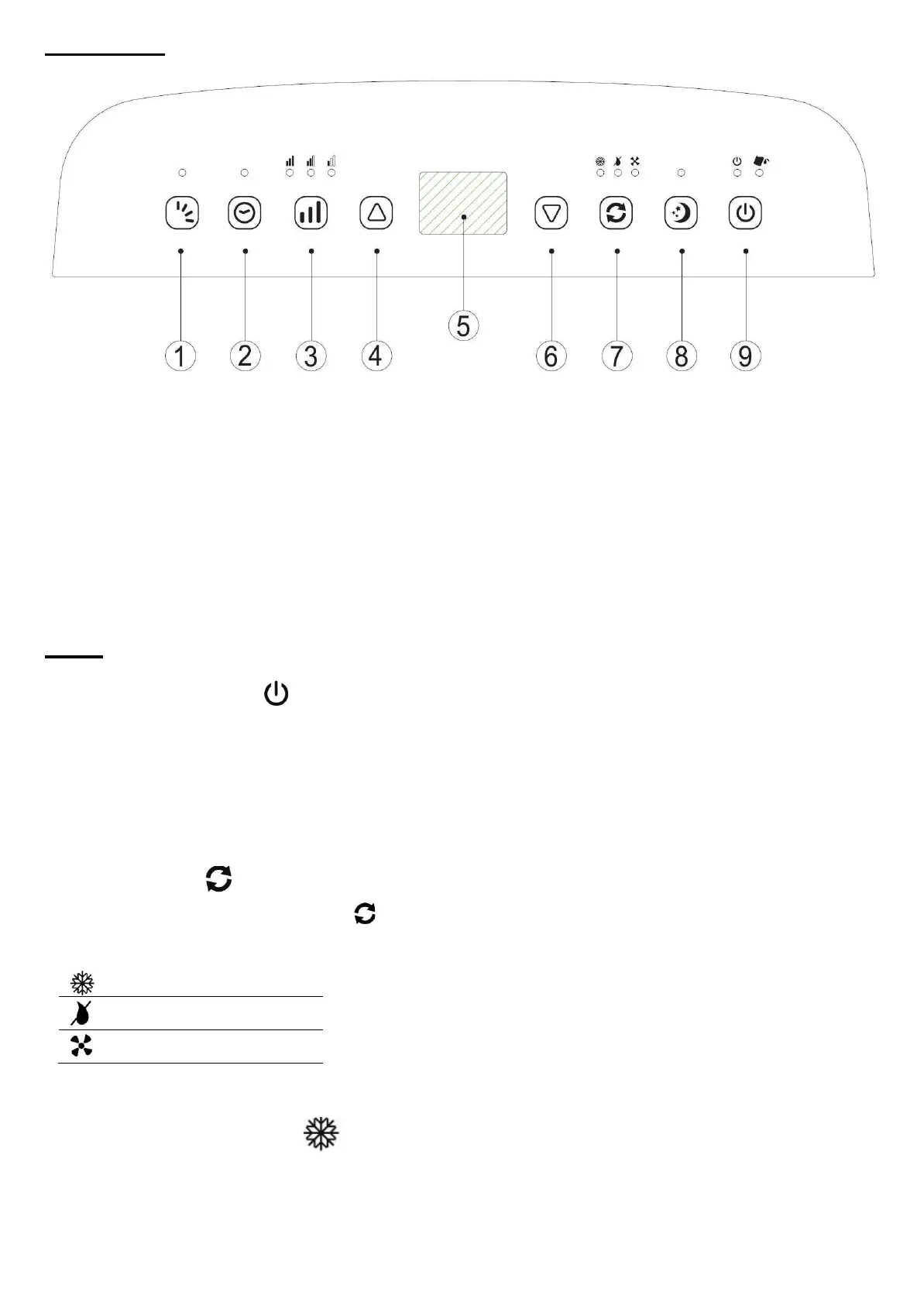
Control panel
1) Oscillation
2) Timer
3) Fan speed
4) Increase the temperature or the duration of the timer
5) Temperature, timer display
6) Lower the temperature or the duration of the timer
7) Mode
8) Sleep
9) On / Off
➢ USE :
"ON / OFF" COMMAND
-
This command is used to switch the appliance on or to put it on standby.
-
When the unit is connected to the power outlet, a beep will sound, then the unit will enter standby
mode.
-
In standby mode, the display shows the room temperature.
-
In operating mode, the display shows the target temperature.
MODE CONTROL
Select the desired mode by pressing MODE to the desired mode.
The corresponding indicator light comes on:
"AIR CONDITIONING" MODE
-
The ambient air is cooled and then released into the room, and the hot air is expelled to the outside
through the exhaust pipe.


 To Next Page