"SLEEP" FUNCTION
-
Press the button to activate the "Sleep" function
-
In "Air conditioning" mode, the ventilation switches to slow speed. The temperature
increases by 1 °C after the 1
st
hour, then increases again by 1 °C after 2 hours, then
maintains this temperature.
Note: the "Sleep" function is only available in "Air conditioning" mode
(it does not work in "Ventilation" or "Dehumidification" mode).
FULL TANK INDICATOR
This device evacuates the water from the air collected in cooling mode. This water is evacuated
directly to the outside through the air extraction pipe.
The water from the condensates (frost created on the cooling circuit) is collected in an internal
tank.
This represents small volumes of water, but in the event of prolonged use of the device the
tank may fill up and it should be emptied.
-
The indicator lights up and a beep sound, this means that the internal water tank needs
to be emptied. The appliance will not work until the water has been drained.
(1) Place a container under the stopper to collect the water.
(2) Remove the rubber stopper and let the water drain out.
(3) Push the plug back into the drain.
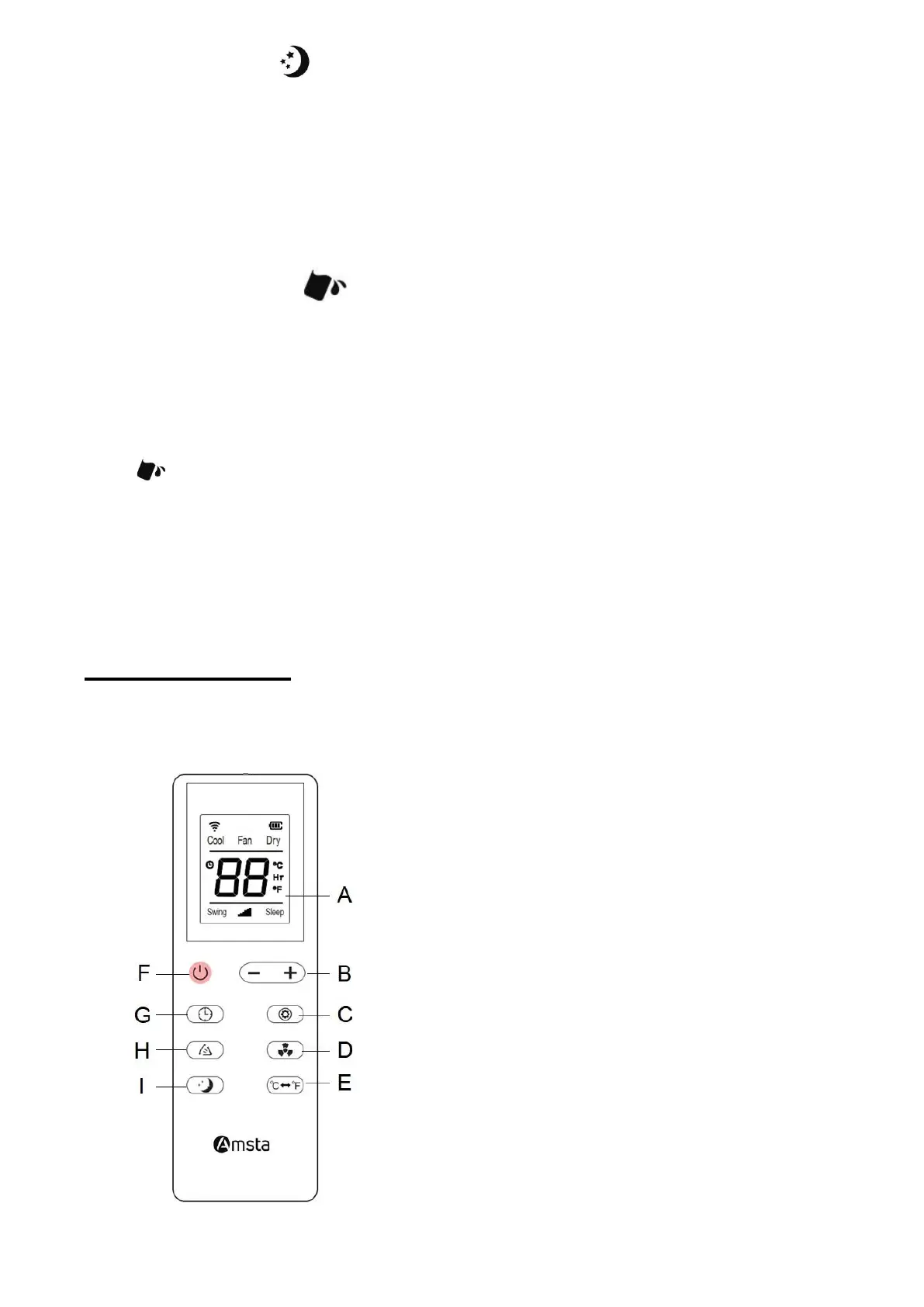
➢ REMOTE CONTROL
• The remote control works with 2 AAA, 1.5 V batteries (not included).
• Respect the polarities by inserting them.
A. LCD screen (Cool = Air conditioning / Fan
= Ventilation / Dry = Dehumidification /
Swing = Oscillation / Sleep = Sleep)
B. Increase / decrease the temperature or
the timer duration
C. Fashion
D. Fan speed
E. Switch between temperature indication in
degrees Celsius or Fahrenheit
F. On / Off
G. Timer
H. Oscillation
I. "Sleep" function


 To Next Page