10
LENSES
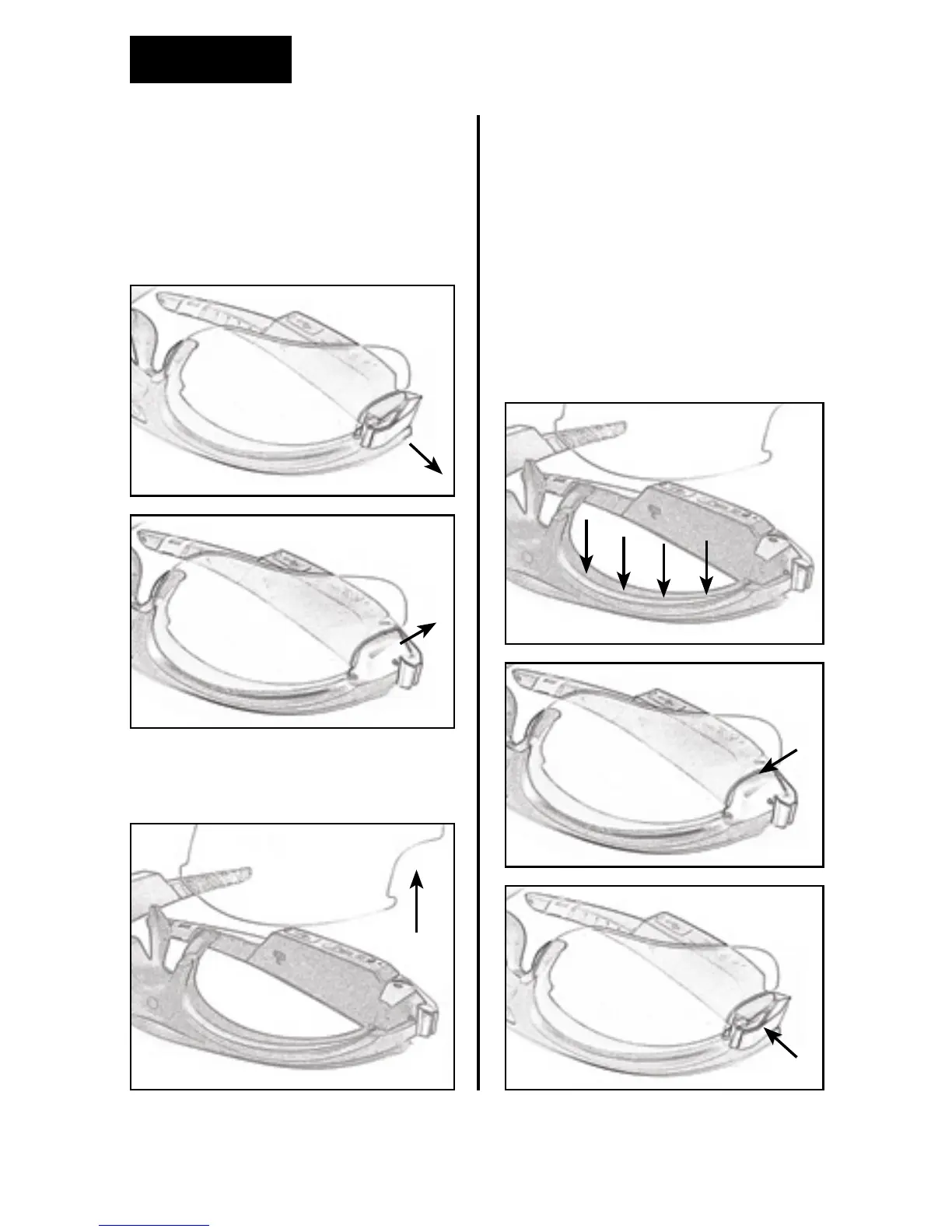
Removing lenses
To remove the lenses, support the
eyewear frame with one hand,
fold the frame arm and pull the
lock up (A) (B).
Pull the lens out and do the same
procedure on the other side.
Replacing lenses
To replace lenses, support the
eyewear frame with one hand
and slide the lens into the support
notches towards the top of the
frame (D).
Close the lock in until you
hear a click (E) (F). Repeat the
procedure on the other side.
A
D
E
F
C
B


 To Next Page