5
INSTALLING THE MICRO-SD CARD
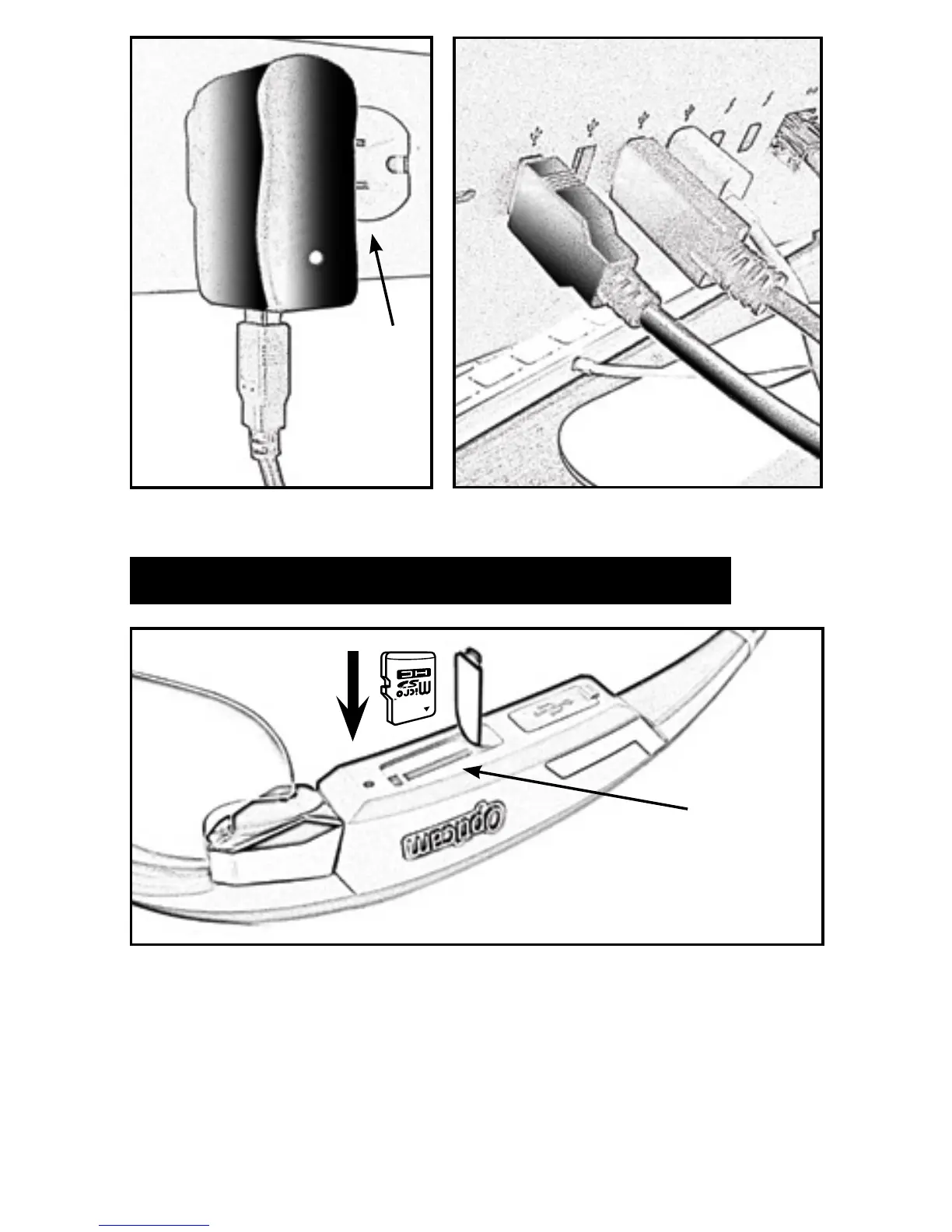
With the Opticam turned OFF, insert the Micro-SD card into the slot (A)
with the printed side facing the outside of the frame until you hear a click.
To extract the Micro-SD card, make sure the Opticam is turned OFF then
push the card in until you hear a click so the Micro-SD card automatically
pops-up.
A
F
B
D
A
AC Adapter Computer USB Port


 To Next Page