11
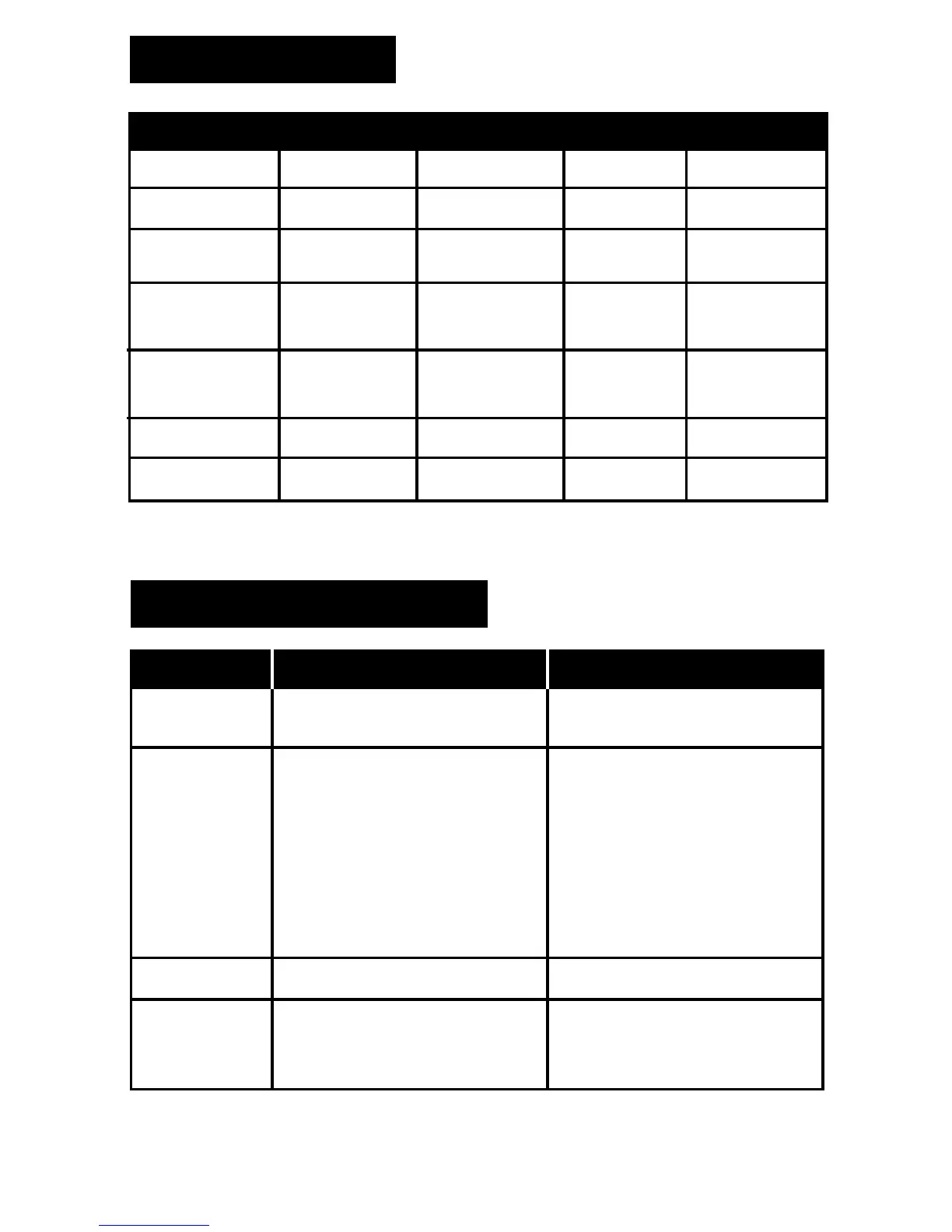
LIGHT STATUS
Status Blue LightGreen Light Red Light Sound Alert
Power ON
Charging
Charging Full
Recording
Power OFF
No Micro-SD
Card / Card Full
Low Power
Stay ON
OFF
OFF
Stay ON
1 sec then OFF
5 sec ash
then OFF
10 sec ash
then OFF
5 sec ash
then OFF
10 sec ash
then OFF
OFF
Stay ON
OFF
OFF
OFF
OFF
OFF
3 Chimes
OFF
OFF
1 chime every
25 minutes
3 chimes then
4 sec chime
4 sec chime
4 sec chime
3 sec then ash
OFF
OFF
Flash
1 sec then OFF
TROUBLESHOOTING
Problem
Fail to start
Data not saving
Camera not
recognized when
connected to
computer
Unit powers OFF
immediately
after power ON
Connection occurs when
device is turned ON
Ensure camera is OFF before
connecting to PC
Dead battery / Device Frozen
Memory Full Delete unwanted les
USB cable fails
USB port disabled
Computer does not support USB
PC system frozen
Micro SD-Card error
Battery low
Memory full
No Micro-SD Card
Recharge battery
Delete unwanted les
Insert Micro-SD card
Replace USB cable
Ensure USB port is enabled
Update computer to support USB
device
Restart computer
Format Micro SD-Card
Recharge battery
Press the RESET button
Potencial Reason Solution


 To Next Page