Data Entry Slide
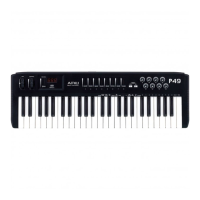
This slide controller allows you to adjust the following parameters: Volume, Velocity,
Chorus, Reverb, Pan pot, and Aftertouch directly from your keyboard.
MIDI / SELECT button
Use this button to select different MIDI commands on certain keys from your keyboard. AMW
P49 provides several groups of MIDI commands as follows:
MIDI Channels group
Pressing the MIDI/SELECT button and then pressing the MIDI CHANNEL key allows you to
select the transmitting channel for your keyboard. The default Channel is 1 when the
keyboard's power is turned on. Pressing the MIDI/SELECT button, Ten Key 2 then the
MIDI/SELECT button changes the MIDI transmit channel from 1 to 2. You can use the Data
entry-Slider too.
Octave group
By pressing the Octave key, you will shift the active keyboard range one octave higher, or
lower. For example, if you want to change the octave 2 octaves down : Press Octave Key
twice .
Transposer Group
Pressing the MIDI/SELECT button and the TRANSPOSE Key you increase or decrease the
notes by halftones. If you want to transpose by 3 semitones: Press the MIDI/SELECT button
and the ”#” key, (in the display you see 3 for three semitones) than press MIDI/SELECT to
finish the change.
Reset key
Pressing the MIDI/SELECT button and the Reset key will send out a message to return all
external MIDI instruments to their default setting as well.
Control Change data entry by Numeric keypad
AMW P49 allows you to use the numeric keys to specify your Control Change DATA parameter
instead of data entry slide. By pressing MIDI/SELECT button and CC data key & then the


 To Next Page