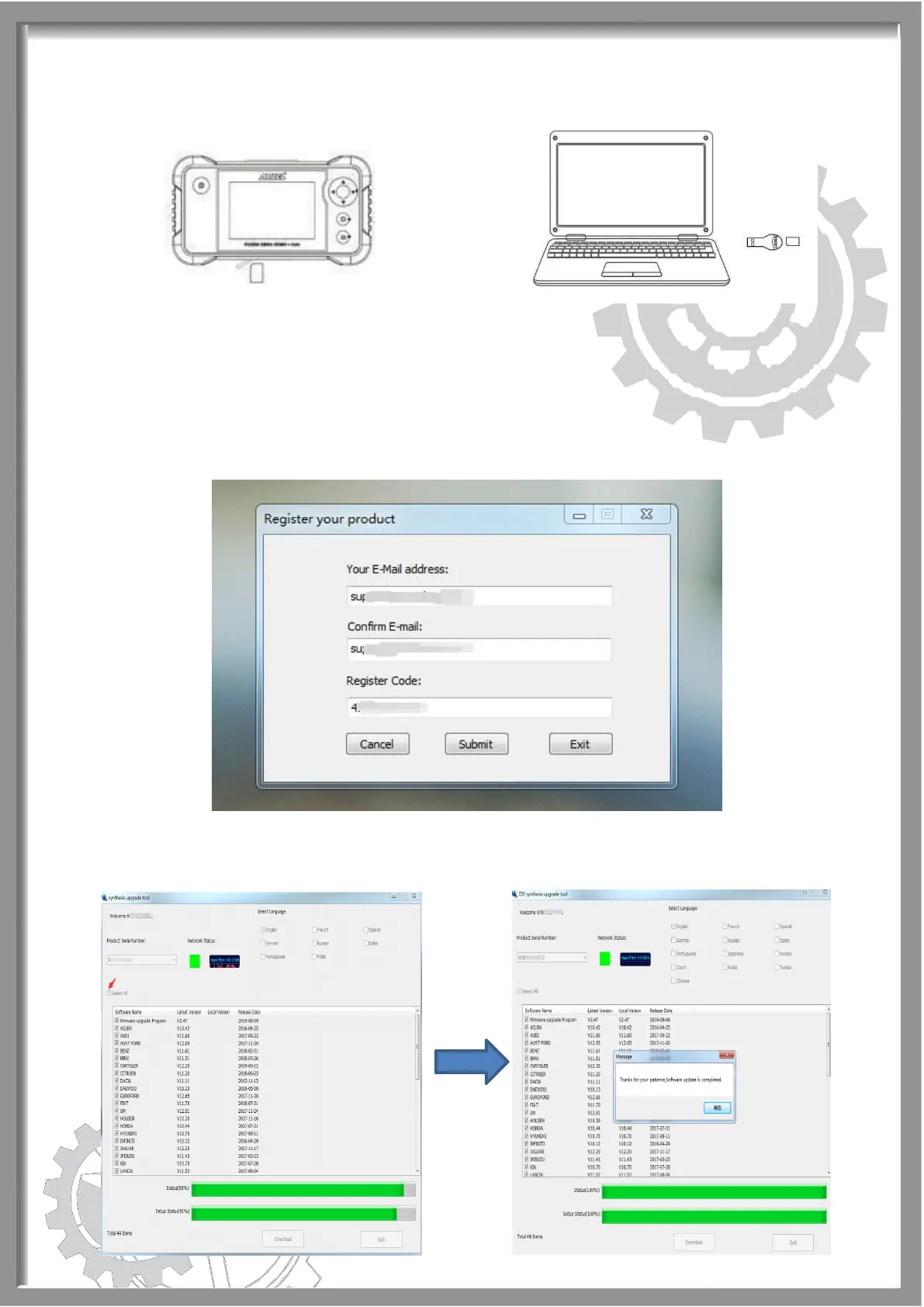
Step 7: Move to the register page, type your email address and Register
Code will be read automatically, then hit [Submit].
If the Register Code will be read automatically, please view it on the photo
you taken before and type it.
Step 8: Choose “Select All” and click [Download] to start downloading.


 To Next Page