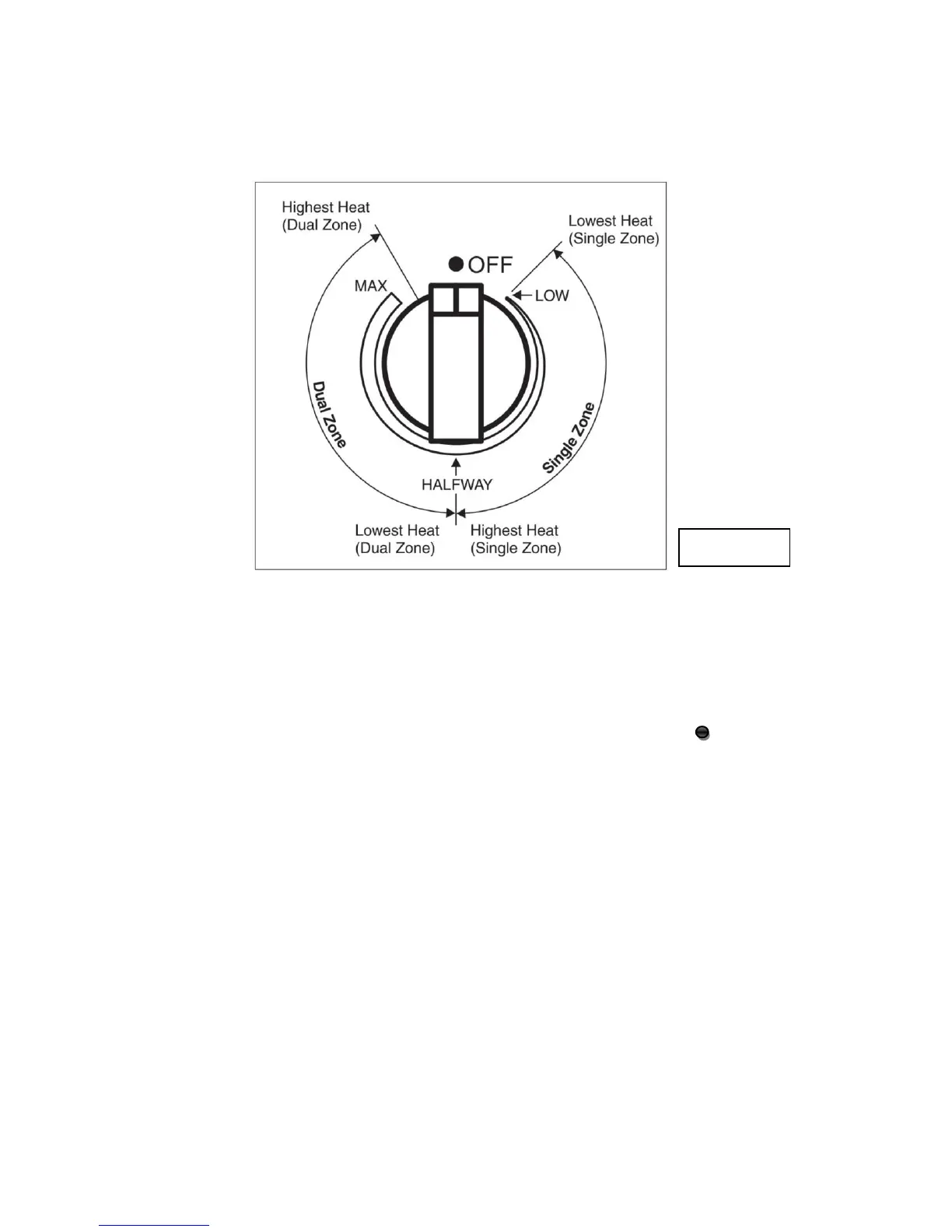
Setting Surface Controls
1. Turn the control knob to the desired position (low to high). (See Figure 11)
2. Adjustment is continuous so the cooking zone will operate at any intermediate setting between
low and high.
3. Once the cooking zone is hot, the LED corresponding to the zone illuminates.
4. To switch off the cooking zone by turn the knob, in either direction to the “OFF” position.
5. The residual heat warning light remains illuminated when the temperature of the ceramic glass
surface is hot and will switch off once the surface temperature has cooled.


 To Next Page