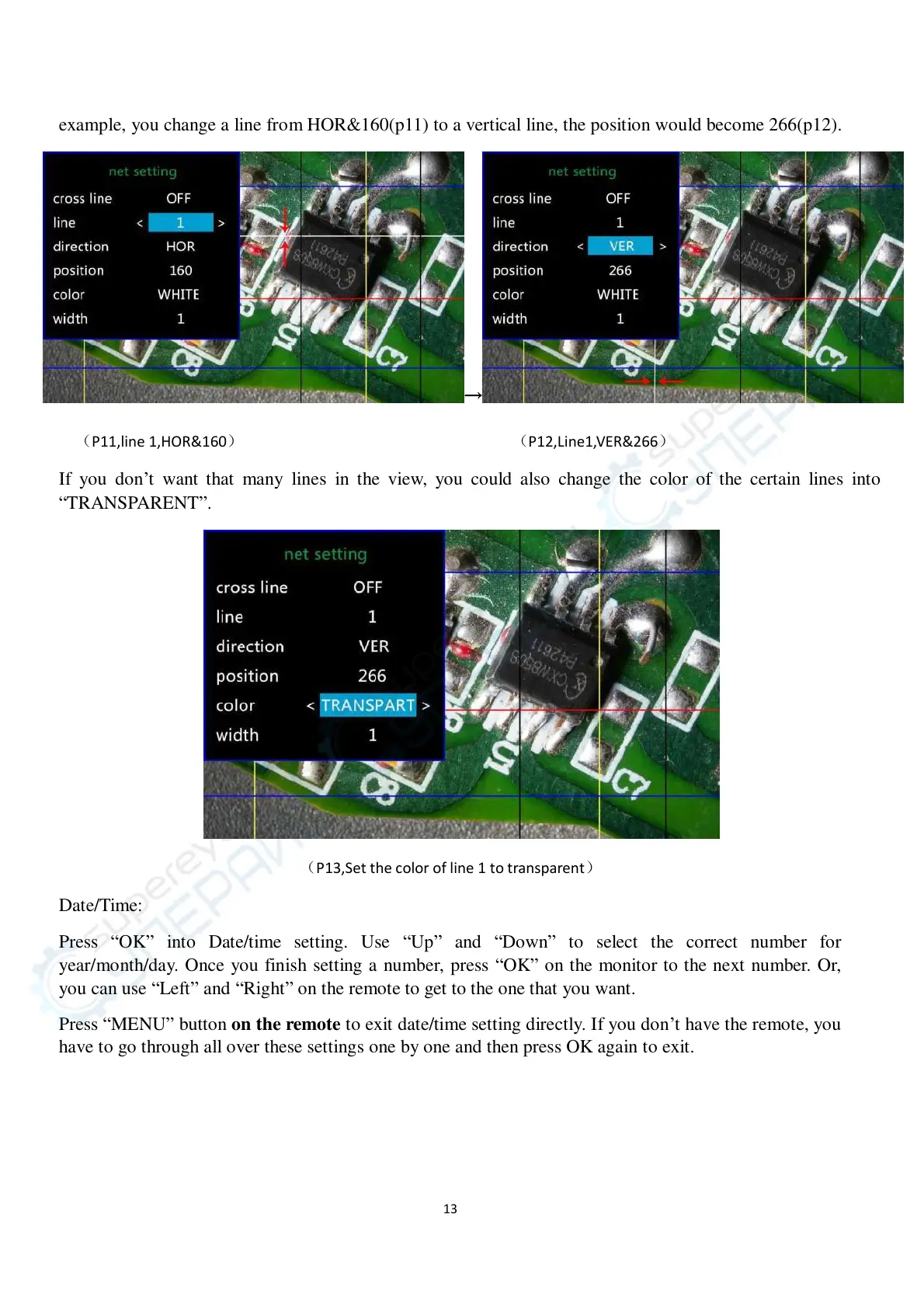
example, you change a line from HOR&160(p11) to a vertical line, the position would become 266(p12).
→
(P11,line 1,HOR&160) (P12,Line1,VER&266)
If you don’t want that many lines in the view, you could also change the color of the certain lines into
“TRANSPARENT”.
(P13,Set the color of line 1 to transparent)
Date/Time:
Press “OK” into Date/time setting. Use “Up” and “Down” to select the correct number for
year/month/day. Once you finish setting a number, press “OK” on the monitor to the next number. Or,
you can use “Left” and “Right” on the remote to get to the one that you want.
Press “MENU” button on the remote to exit date/time setting directly. If you don’t have the remote, you
have to go through all over these settings one by one and then press OK again to exit.



 To Next Page