EasyManua.ls Logo

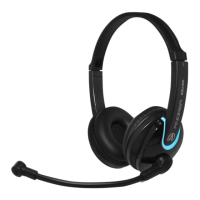
Andrea NC-455VM - User Manual

Andrea NC-455VM
2 pages
Print Icon
To Next Page IconTo Next Page
Loading...
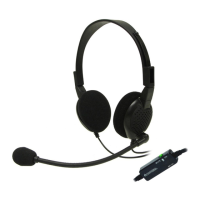
The Andrea NC-455VM USB Noise Canceling
USB Headset features, state-of-the-art, Noise
Canceling microphone technology that
removes background noise for optimal voice
recognition.
Users receive:
• Andrea microphone technology in a
high-fidelity headset
• A rigid wire boom which keeps the
microphone accurately positioned in place
• In-line volume controls with microphone and
speaker mute buttons
• Increased speed and accuracy of PC speech-
driven applications
• Built in high quality external USB soundcard
CONNECTING THE NC-455VM USB
To connect the Andrea NC-455VM USB Headset
to your computer's sound card:
1. Plug the black USB plug into your device’s
USB port.
COMPATIBILITY
The NC-455VM USB is compatible with most
computers, laptops, tablets and MACs with a
USB port.
HEADSET INSTRUCTIONS
1. Fit the adjustable headband over your head
to secure the headset with the speakers
resting comfortably around your ears.
2. Adjust the microphone boom so that the
microphone is approximately 3/4" in front
of your mouth.
Package includes: One (1) NC-455VM USB
Headset, and
One (1) NC-455VM USB Headset Publication
C46-5488 Rev A
WARRANTY INFORMATION
Please visit our website at:
www.andreacommunications.com/warranty
for all warranty information.
Congratulations on your purchase
of the Andrea NC-455VM USB
Headset USB!
NC-455VM USB
Headset
TECHNICAL SERVICE
We hope that you enjoy your Andrea
NC-455VM USB Headset. If you have additional
questions, please visit our website at:
www.andreacommunications.com/support
or call Andrea Communications Technical
Service team at 1-800-442-7787 (USA &
Canada) for assistance.
TROUBLESHOOTING
If you encounter the following problems:
No sound from headset ear piece while
audio plays from computer.
A. Check all connections.
B. Consult your sound card instruction booklet
C. Check output volume level adjustment in
software.
Microphone does not record sound when
using a voice-recording application.
A. Check all connections.
B. Bring the microphone closer to your mouth.
C. Check input control for proper level in
software.
D. Check that microphone is not muted in the
PCs microphone audio panel.
Question and Answer IconNeed help?

Do you have a question about the Andrea NC-455VM and is the answer not in the manual?

Summary

Product Introduction and Features

Product Features

Noise canceling microphone technology for optimal voice recognition, rigid boom, and in-line controls.

Connecting the Headset

Connection Steps

Instructions on how to connect the headset to your computer's sound card via USB.

Compatibility

System Compatibility

Details the compatibility of the NC-455VM USB headset with various computer systems.

Headset Usage Instructions

Wearing and Positioning

Guidance on fitting the headset and adjusting the microphone boom for optimal performance.

Troubleshooting Common Issues

No Headset Audio

Steps to resolve issues when no sound is heard from the headset while audio plays from the computer.

Microphone Not Recording

Solutions for when the microphone fails to record sound in voice-recording applications.

Support and Warranty Information

Technical Service Contact

Information on how to contact Andrea Communications for technical assistance.

Warranty Details

Guidance on where to find comprehensive warranty information for the product.

Diagrams and Controls

Microphone Positioning

Visual guide for correct microphone placement relative to the user's mouth.

Standard Setup Illustration

Diagram showing the typical setup connection of the headset to a computer.

Adjustable Microphone Boom

Illustration demonstrating the adjustability of the microphone boom.

In-Line Volume Controls

Overview of the in-line controls, including volume buttons and mute functions.

Andrea NC-455VM Specifications

General IconGeneral
Headset typeBinaural
Product typeHeadset
Product colorBlack, Blue
Wearing styleHead-band
Control unit typeIn-line control unit
Recommended usageOffice/Call center
USB connectorUSB Type-A
3.5 mm connector-
USB connectivityYes
Connectivity technologyWired
Impedance32 Ω
Driver unit40 mm
Ear couplingCircumaural
Headphone frequency50 - 20000 Hz
Maximum input power40 mW
Headphone sensitivity114 dB
Microphone typeBoom
Microphone frequency100 - 10000 Hz
Microphone sensitivity-44 dB

Related product manuals