APPENDICES
67
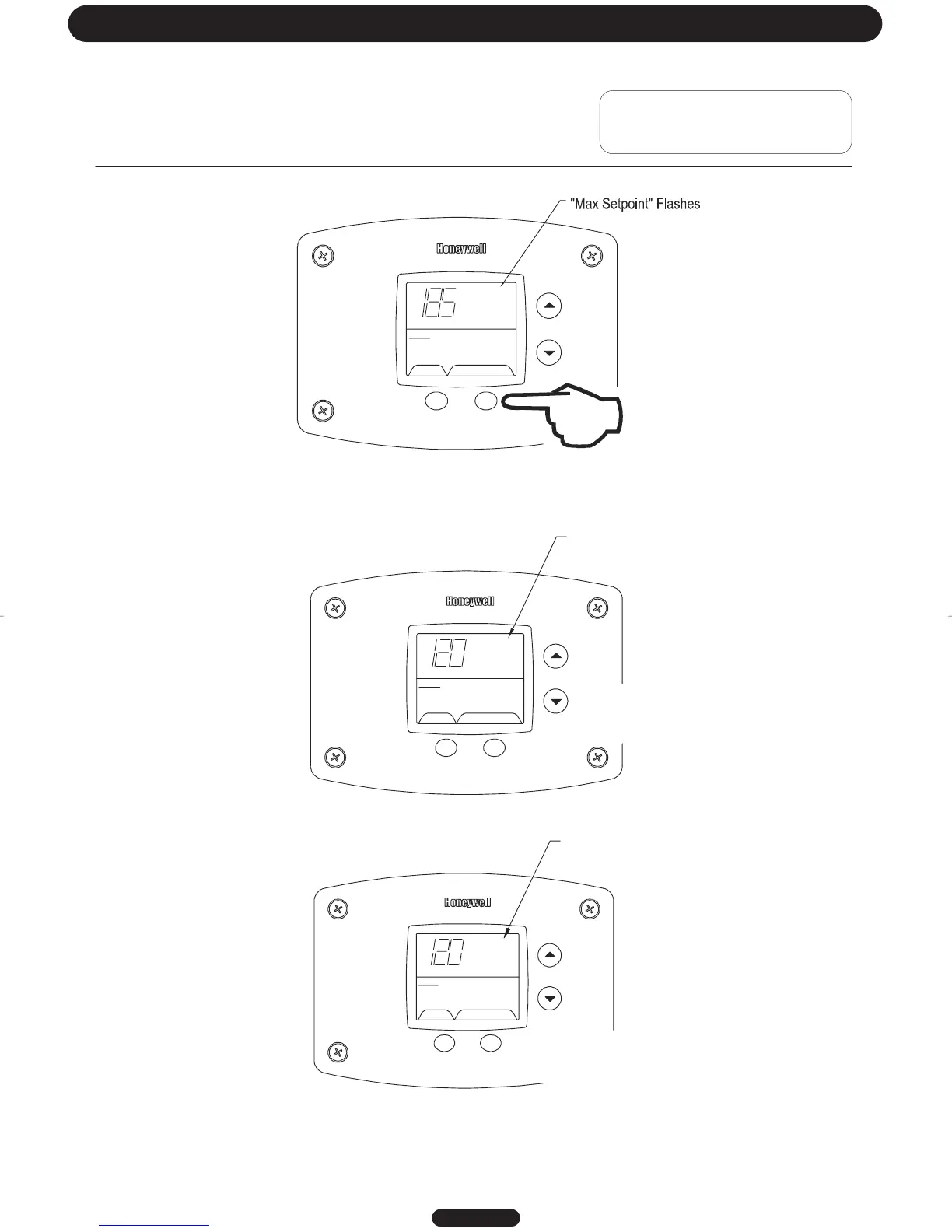
Step 2: Press “Set” button to enter setting mode. “Max Setpoint” will flash to indicate setting mode.
SELECT SET
Status
°F
idle
Operational
Max
Setpoint
Step 3: Press the “UP” or “DOWN” buttons to change the maximum setpoint value. This will limit the maximum setpoint
the user can select. Note: The maximum setpoint is approximately 180°F.
Step 4: Press “Set” button to confirm new “Max Setpoint” value and stop setting mode.
Page 13
"Max Setpoint" stops flashing
SELECT SET
Status
°F
idle
Ope
rational
Max
Setpoin
%
SELECT SET
Status
°F
idle
Operational
Max
Setpoint
%
"Max Setpoint" continues to flash
while making adjustments
Troubleshooting




 To Next Page