APPENDICES
71
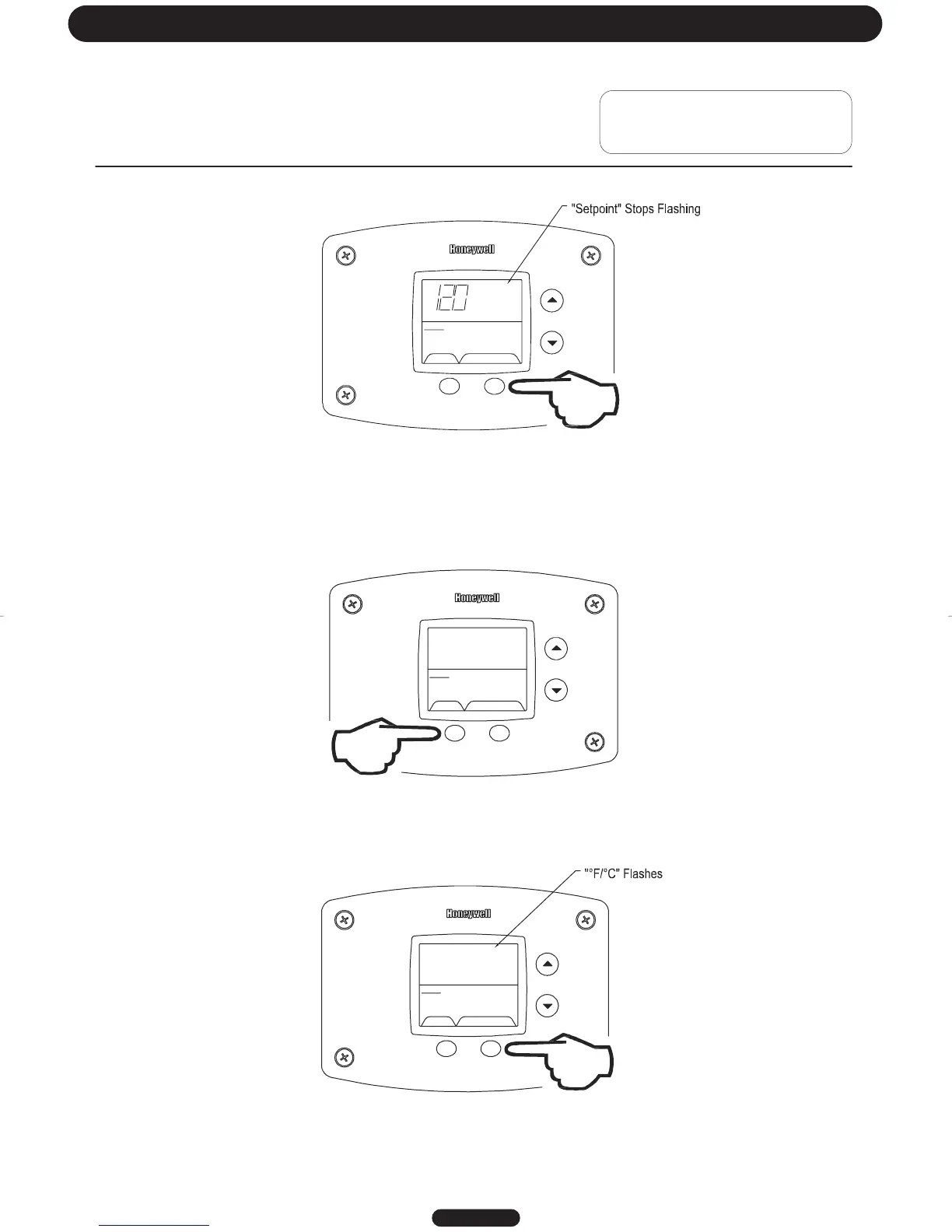
Step 5: When the desired setpoint is reached on the water heater display, press the “Set” button to confirm the new
setpoint. “Setpoint” stops flashing in the water heater display.
SELECT SET
Status
°F
idle
setpoint
Operational
To Display and Change Temperature Format (°F/°C):
To Change Temperature Format in Display from °F to °C or °C to °F:
Step 1: While in “Service Mode”, press “Select” button until “°F/°C” is shown in the upper right portion of the water heater
display.
SELECT SET
Status
idle
Operational
°F °F/C°
Step 2: Press “Set” button to change temperature format. “°F/°C” symbol will flash in the water heater display.
SELECT SET
Status
idle
Operational
°F °F/C°
Page 17
Troubleshooting




 To Next Page