APPENDICES
88
SERVICE PROCEDURE D24-IV
Control Board Re placement
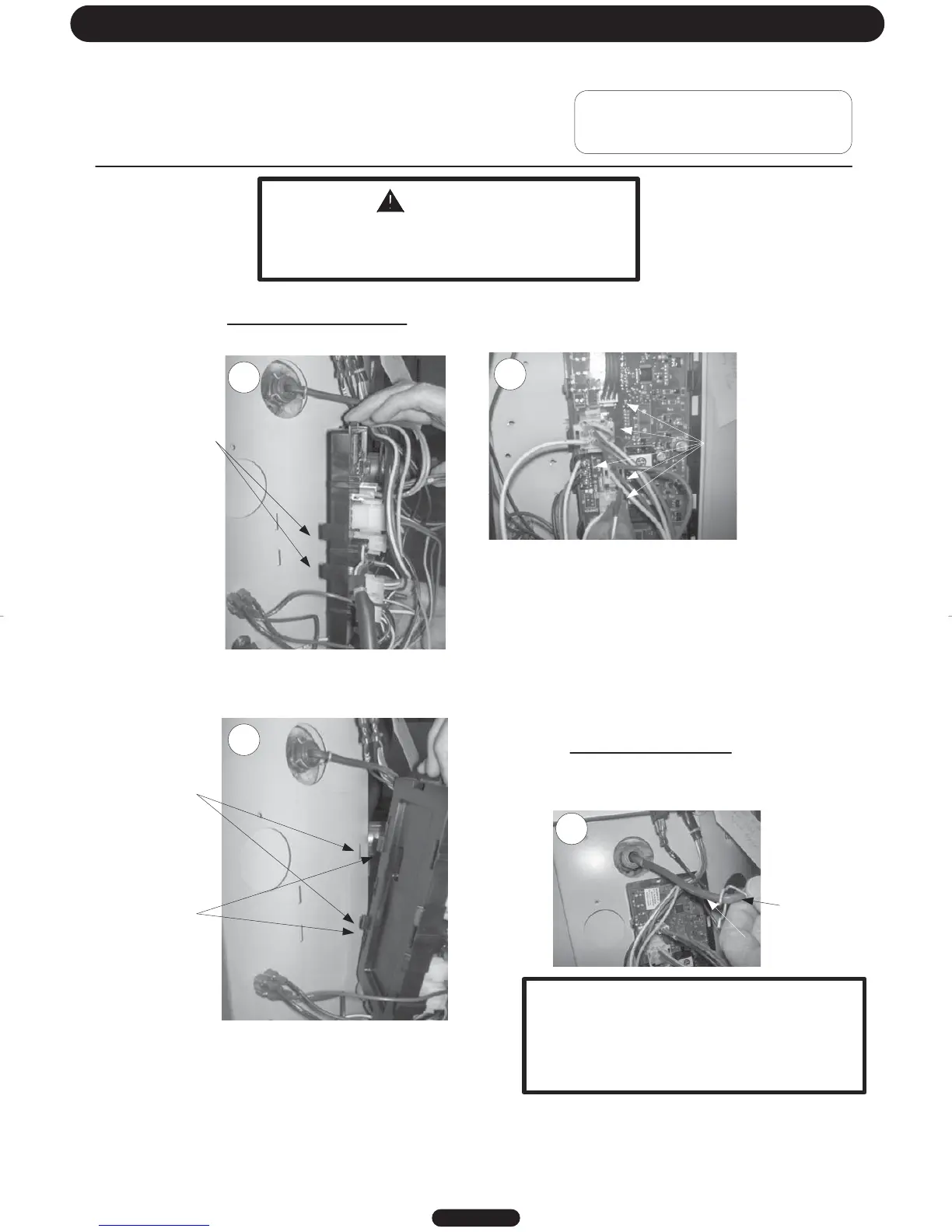
Control board replacement
Step 1: Disconnect Power
Depress
plastic
tabs
Slots in
control panel
Unhook tabs
from control
panel slots
To remove lower sensor
Remove clip, pull sensor out.
Step 2: Unplug wire connections from board.
Pull out sensor
Remove clip
Wire connections
DANGER
120 volt exposure. To avoid personal injury,
unplug while performing this procedure.
Page 34
23
25
24
26
Step 3: To remove board, tilt control panel to the right
and slide control hook tabs from slots in control panel.
IMPORTANT
When replacing lower sensor, make sure
sensor is fully inserted into the well and
securely held by the clip on the well groove.
(see photo 25)




 To Next Page