13
5 OPERATION
5.7
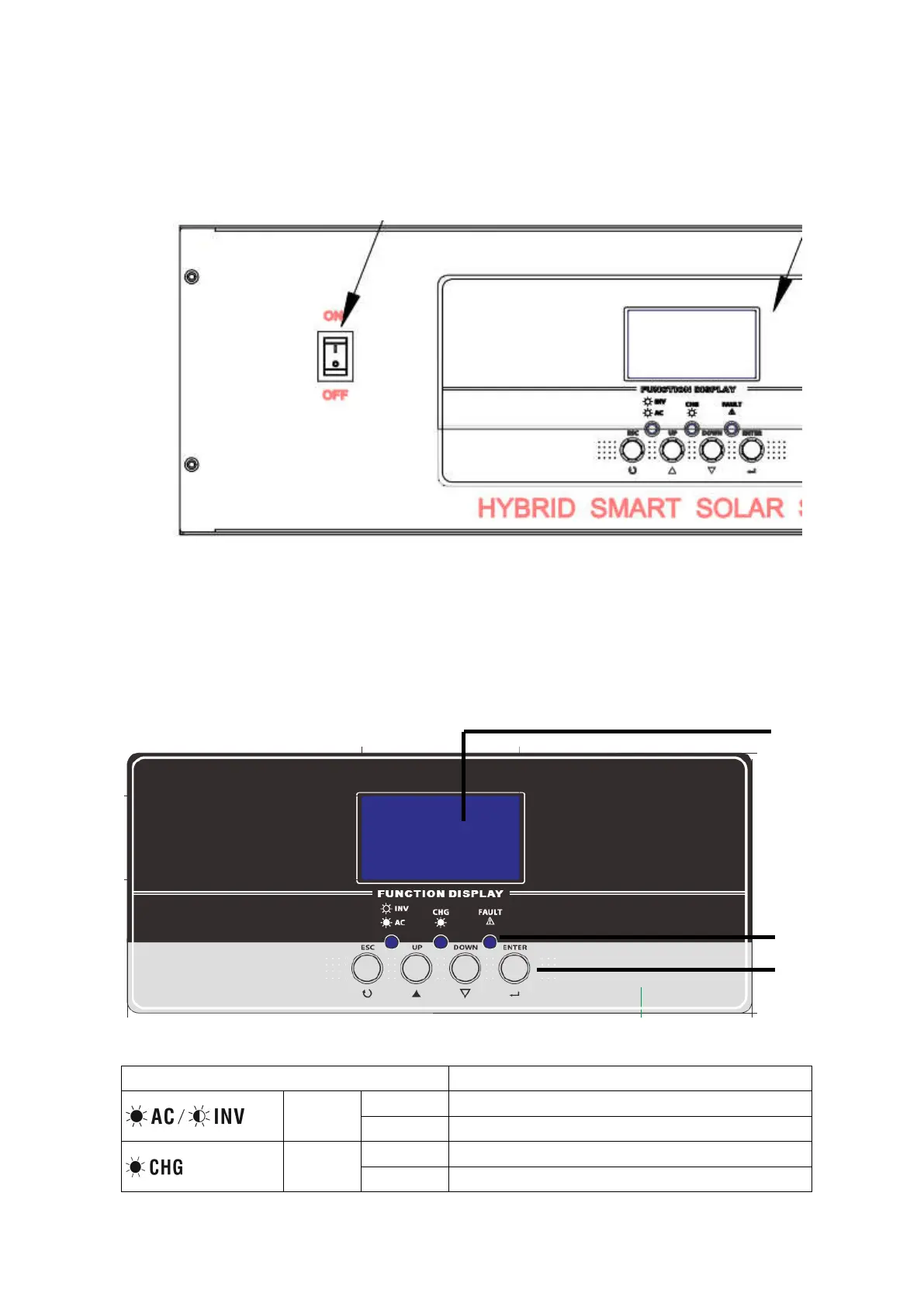
Power ON/OFF
Side view of unit
Once the unit has been properly installed and the batteries are connected well, simply press On/Off switch
(located on the button of the case) to turn on the unit.
5.8 Operation and Display Panel
The operation and display panel, shown in below chart, is on the front panel of the inverter. It includes three
indicators, four function keys and a LCD display, indicating the operating status and input/output power
information.
LED Indicator
LED Indicator Messages
Green
Solid On Output is powered by utility in Line mode.
Flashing Output is powered by battery or PV in battery mode.
Green
Solid On Battery is fully charged.
Flashing Battery is charging.
LCD display
LED indicators
Function keys
Web: anern-marketing.com | Email: marketing@anern.com | Whatsapp: +86 13058030989



 To Next Page