Timer in Parent Unit Screen
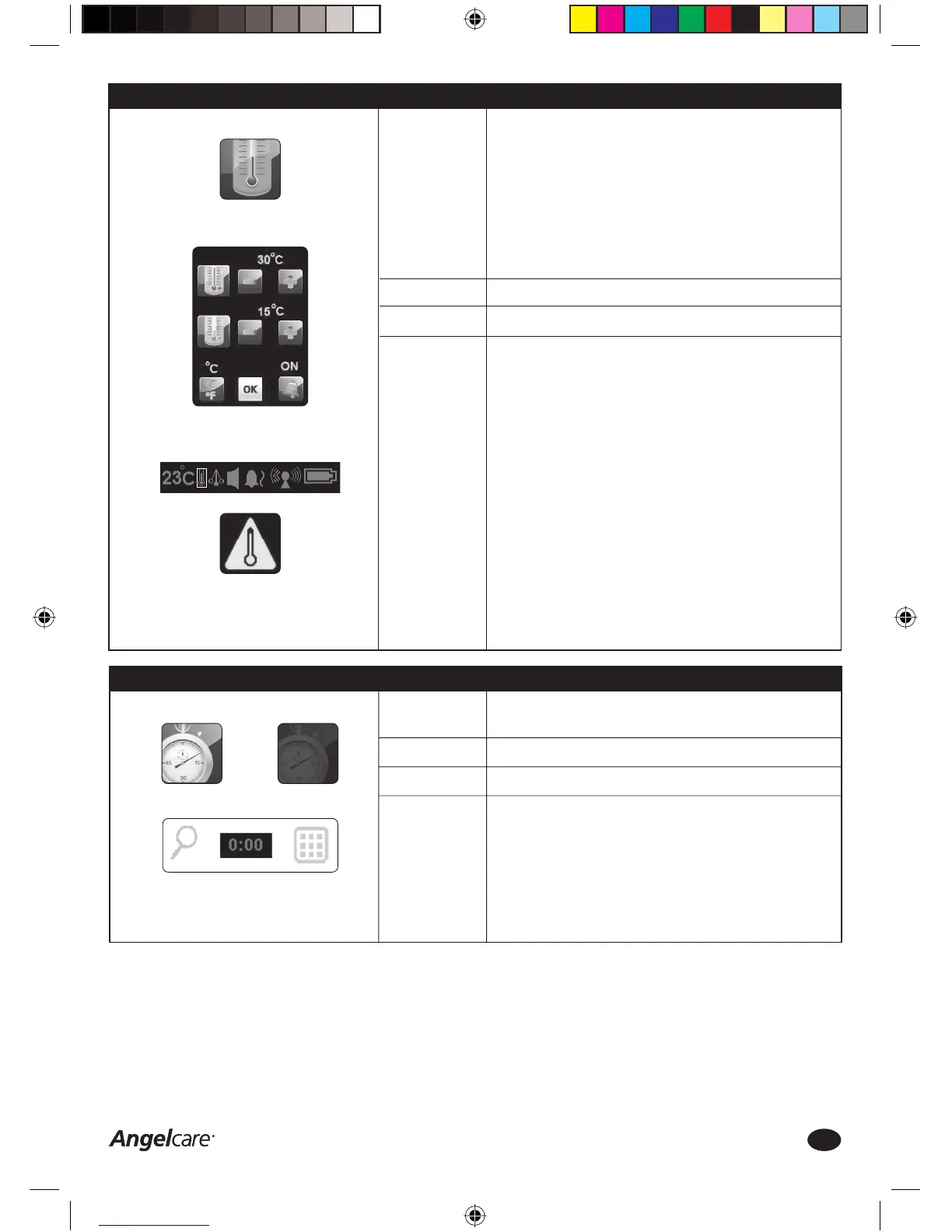
TEMPERATURE CONTROL ICON:
Access to Temperature Control
Menu
Temperature Control Menu
PARENT UNIT SETTINGS BAR:
Your Angelcare Baby Monitor can be used to monitor the temperature
in your baby’s room and sound an alarm if the temperature is either too
high or too low. A triple beep will sound if the temperature is outside the
programmed range.
The temperature sensor in the Nursery Unit is very sensitive and
readings can be affected by (e.g.) cold or warm draughts, placement next
to a cold window or above a heating radiator.
ALWAYS use a 2nd separate digital thermometer placed in a different
part of the room to achieve an accurate reading of the temperature in the
baby’s room.
OFF
ON or OFF and variable temperature levels
Temperature Control
1. Press the MENU Icon on the Parent Unit touch screen
2. Press the Temperature Control Icon to access menu
3. Press the ‘+’ and ‘-’ Icons next to the red thermometer to set the
HIGH temperature alarm level (high temperature alarm range: 22°C to
40°C/72°F to 104°F)
4. Press the ‘+’ and ‘-’ Icons next to the blue thermometer to set the
LOW temperature alarm level (high temperature alarm range: 5°C to
19°C/41°F to 66°F)
5. Press °C/°F Icon to switch the temperature indication to Fahrenheit or
Celsius
6. Press the Alarm Icon to turn Temperature Control ON or OFF
7. Press OK twice to save changes and return to the video capture screen
8. The Temperature Icon (thermometer) in the Parent Unit Settings Bar
will show the activated setting
Temperature Alarm
The Temperature Alarm is triggered when the temperature detected by
the Nursery Unit reaches the set high or low temperature limits. The
Parent Unit will sound 4 consecutive beeps every 5 seconds and the
Temperature Alarm Icon will be displayed in Parent Unit screen.
Function:
Factory Settings:
Options:
How to change
this setting:
Temperature Alarm
Step 13: Timer Function
The timer is a useful tool to time certain events during day or night, e.g.
the time between two feeds or timing naps.
OFF
ON or OFF
Timer Function
1. Press the MENU Icon on the Parent Unit touch screen
2. Press the TIMER Icon ON or OFF
3. The monitor will automatically return to the video capture screen and
the TIMER is shown at the bottom of the screen, starting from 0 hours;
0 seconds
4. The TIMER is limited to 5 hours; 59 minutes and will stop and
disappear automatically after this limit has been reached
5. The TIMER will be reset and turned OFF if the Parent Unit is turned OFF
Function:
Factory Settings:
Options:
How to change
this setting:
TIMER ICON:
Timer ON Timer OFF
Step 12: Temperature Control
Consumer Helpline: 0845 009 1789 | www.angelcare-uk.co.uk
10
AC1100_Manual.indd 10AC1100_Manual.indd 10 19/5/11 2:39:17 pm19/5/11 2:39:17 pm



 To Next Page