4
E
N
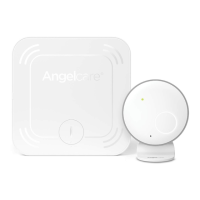
• All programmable functions of your Angelcare© monitor are available through the MENU
button.
Note: Press the MENU button briefly to access the menu. If you press the MENU button too
long you will get in the pairing mode and the out of range indicator will start flashing. If this
happens, wait 20 seconds and then press MENU to start again.
• When the desired option appears on your screen, press SELECT.
The different choices of each option is available through the UP and DOWN arrows.
• AT ANY TIME after programming a function, if you wish to exit the menu selection,
press on the EXIT button. If you wish to perform additional programming press MENU
to view the next option.
STEP 5
SCREEN AND BUTTONS
STEP 6
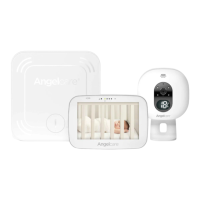
TICS, SOUNDS AND MOVEMENTS
Your Angelcare© monitor gives you the possibility to chose what you wish to monitor.
- The “TIC” is a sound that tells you that your sensor pad is detecting movements.
- The “SOUND” function is activated by the baby’s voice (see STEP 8)
- The “MOVEMENT” function is activated when movement is detected by the sensor pads.
It detects all baby’s movements and warns you when there is no movement.
A CONTINUOUS BEEPING SOUND is heard when no movement is detected for 20 seconds.
If you are receiving false alarms, adjust the sensor pad sensitivity level (STEP 2).
• Press MENU, the 3 flashing icons will appear.
• Using the arrows, select each icon, and decide if you want it ON or not.
• When your selection is made press SELECT, and it will bring you to the next icon.
• Press MENU to view the next option, or EXIT if you wish to stop programming now.
TIC SOUND MOVEMENT
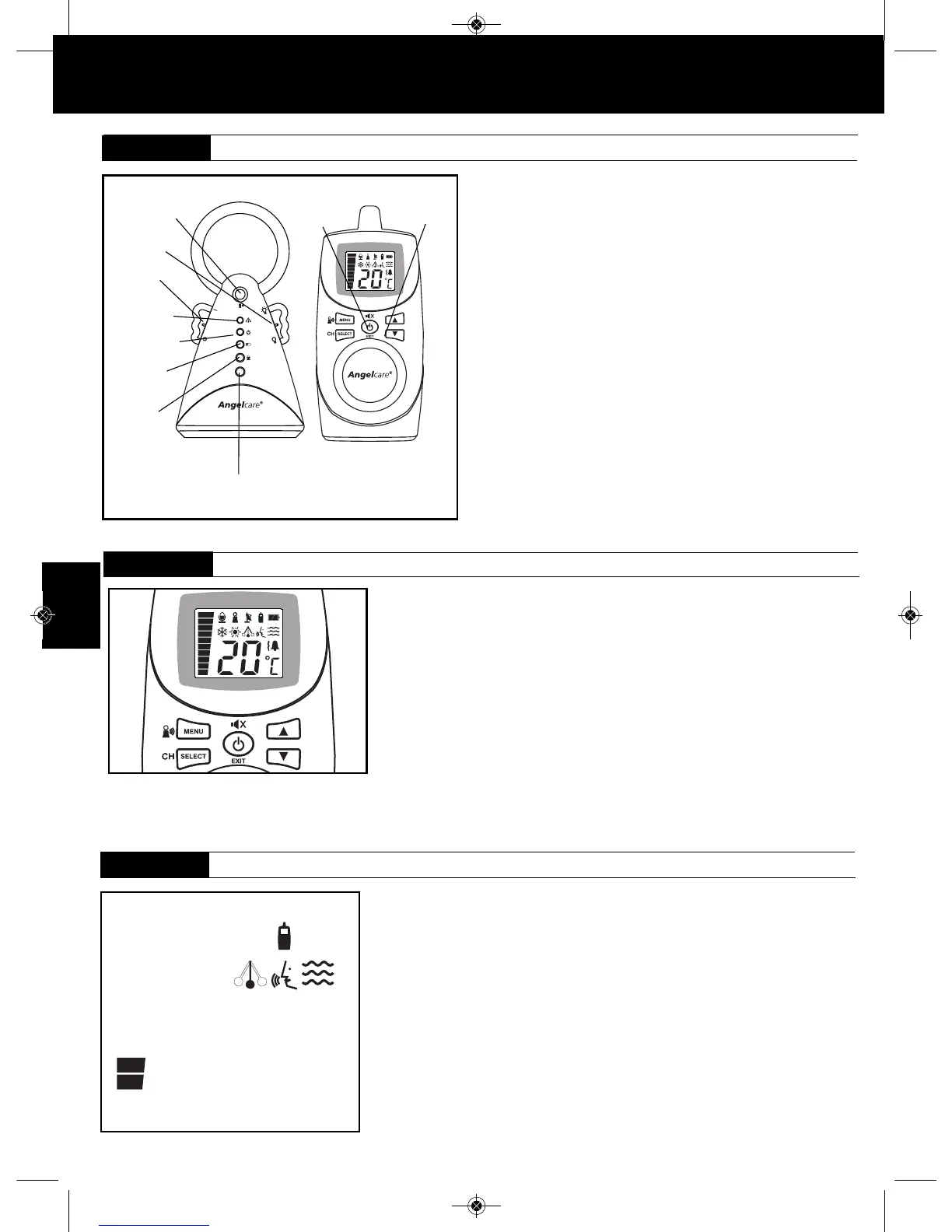
Power ON/OFF
Parents unit
pager
Sound volume
UP/DOWN
• Once the parents unit is fully charged (after 15 hours) turn the unit ON
and turn the nursery unit ON.
If the parents unit is turned ON and the nursery unit is OFF, the
parents unit will start beeping after 1 minute. After 4 seconds,
the unit will shut itself off.
Note: If you lost connection refer to Step 12 “Connecting the Parents unit
to the Nursery unit”
• The available options are programmable but you can use the units
right away, with the following factory settings :
- Sound, movement and tic activated
- Out of range notification ON
- Temperature display ON, Room temperature control OFF
- Parents unit alarm ON, vibration OFF
- Speaker volume at level 3
- Voice sensitivity at level 2
• To avoid feedback (whistling), keep both units at least 3 meters apart (10
feet).
• You can adjust the sound volume with the arrow buttons.
• To turn the night light ON, move the right wing button UP.
STEP 4
PAIRING THE PARENTS UNIT AND THE NURSERY UNIT
Power ON/OFF
Movement
capture indicator
(Flashing)
ON/ OFF Night
light button
Power ON indicator
Low battery
indicator
Microphone
Speaker
AC401 INTER 03.30.2012_AC401inter 042008 12-04-09 9:19 AM Page 4



 To Next Page