CNC Motion Setup/Testing Utility
P/N 70000498B
All rights reserved. Subject to change without notice.
31-January-05
5
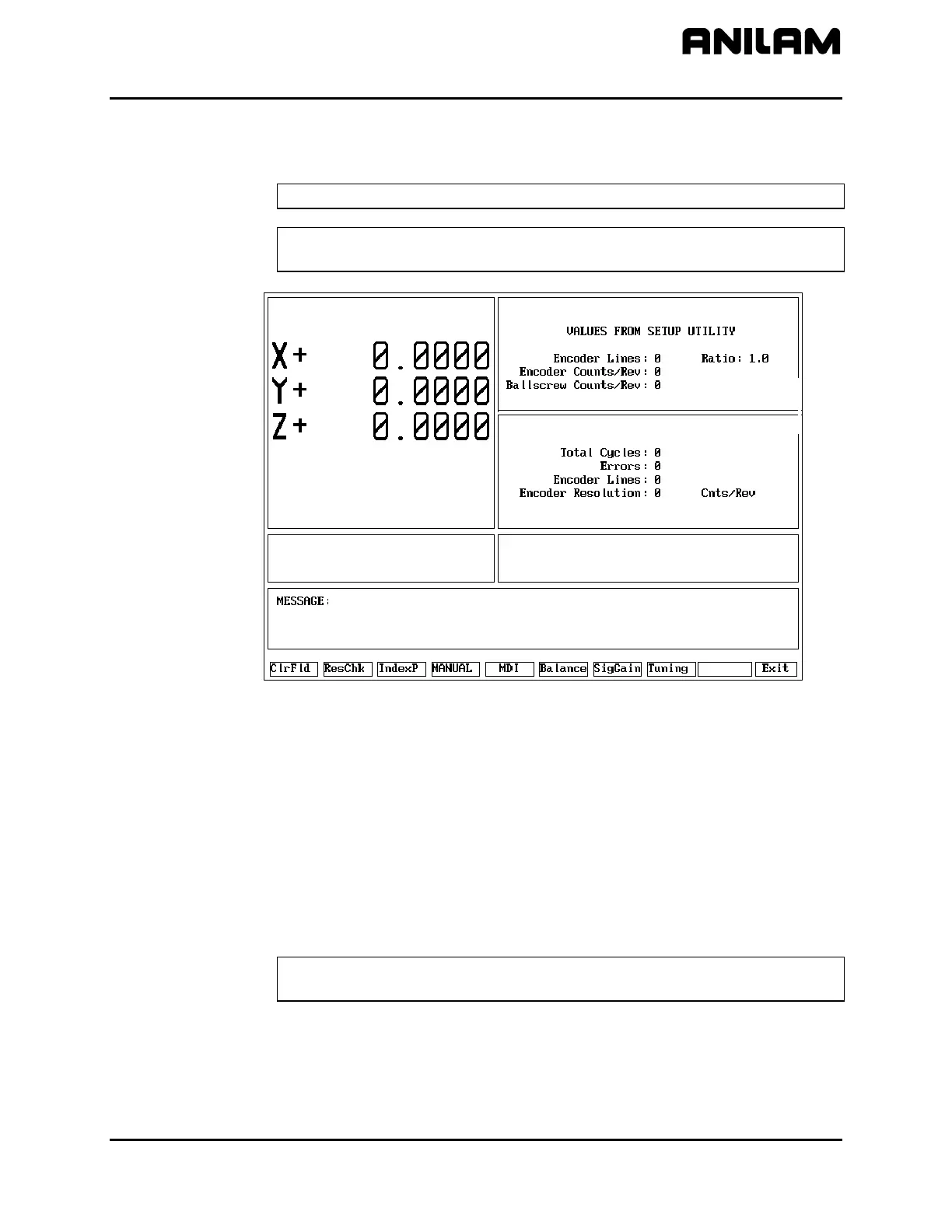
Once this test is activated, the user must move the axis for at least two
encoder revolutions via MDI Mode, Jog Mode, or manual move. The
CNC performs the calculation continuously until motion stops.
NOTE: This test is not available for axes with linear scales.
NOTE: Do not perform this test during Rapid Mode. Use it in Feed
Mode only.
53RESCHEK
Figure 2, CNC Resolution Check (ResCheck) Screen
Starting Reference Mark
This procedure is only necessary during setup of the system and only
when the encoder is type **EverTrack
TM
.
1. Select the axis you want to setup.
2. Press F2 (Resolution Check) to display a pop-up menu with two
options:
EverTrack Test
Save Current Mark
NOTE: Type must be specified as EverTrack on the Resolution – Setup
screen in the Setup Utility.
- - - - -
**EverTrack
TM
EverTrack
TM
is a trademark of ACU-RITE Companies, Inc.
SPINDLE : OFF INCH
COOLANT : OFF ABS
JOG : RAPID FEED
Misc
CNC Ver 3.70H DSP Ver 0.00C
ctive Axis : X
FEED : 0.0 % : 100
RPM : 0 % : 199
DWELL : 0.0 LOOP : 0
: Move axis with (MDI, Jog or manually) to perform test.


 To Next Page