EN EN
19 20
Using the Nebula Apollo
1.
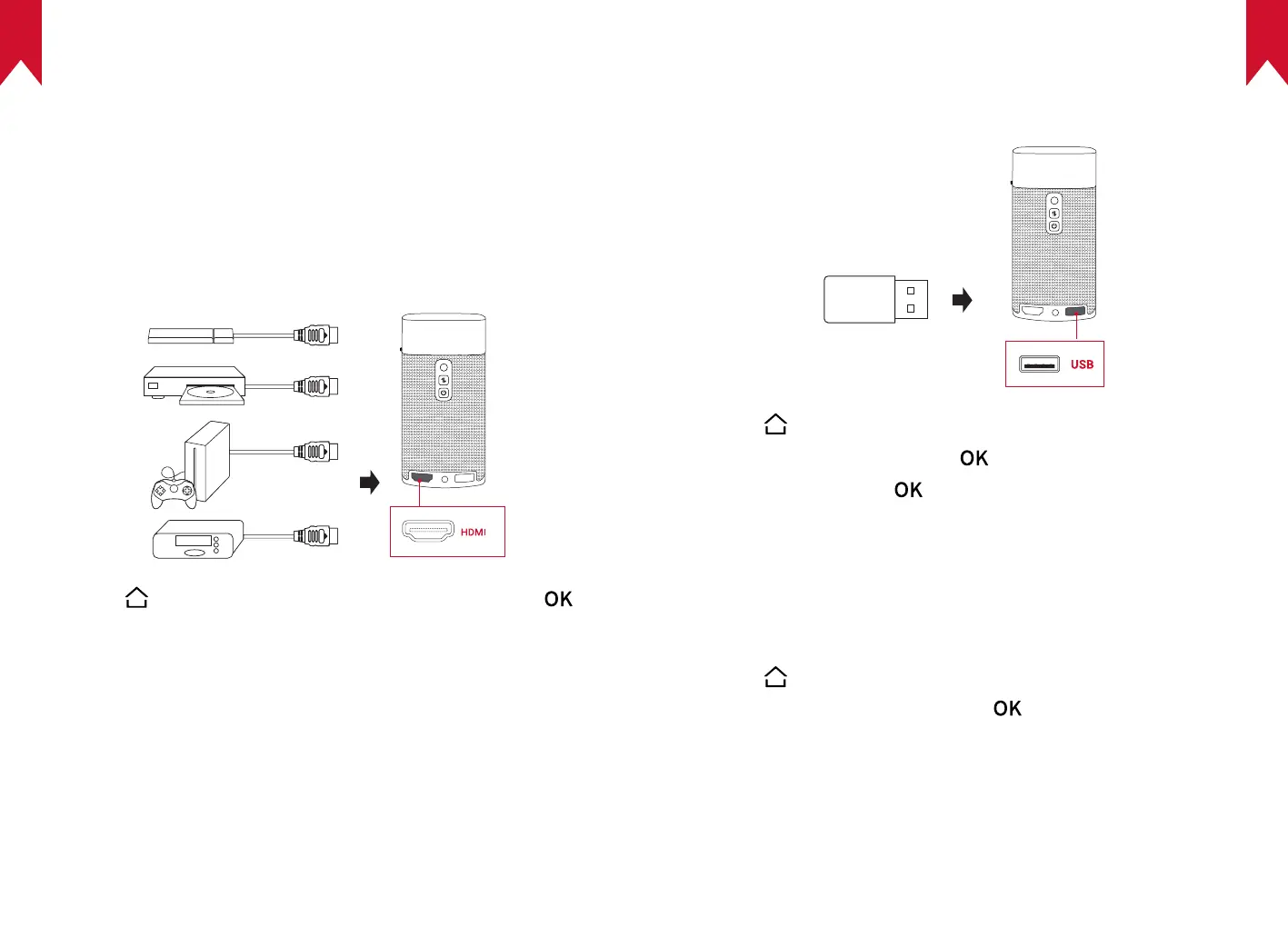
Play from HDMI Playback Devices
Nebula Apollo can be connected to various HDMI playback devices
such as a TV box, TV stick, DVD player, set-top box (STB), gaming
consoles, or other devices.
To play content from HDMI playback devices:
①
Connect Nebula Apollo to an HDMI playback device with an HDMI
cable (not provided).
②
Press to access the home menu, select [HDMI], and press .
• It will automatically start HDMI playback once connected to an
HDMI playback device for the rst time.
2.
Play from a USB Storage Device
With Nebula Apollo, you can enjoy music, video, and pictures, or install
apps that are stored on a USB 2.0 storage device.
①
Press to access the home menu.
②
Select [File Manager] and press .
③
Select a le, then press .
3.
Install Apps
Once connected to a wireless network, you can access online services,
enjoy movies, music and pictures, and browse online. Aside from the
pre-installed apps, you can also install additional apps either from the
Nebula App Store or via a USB flash drive.
①
Press to access the home menu.
②
Select an Internet service, and press .



 To Next Page