EN EN
07 08
3.
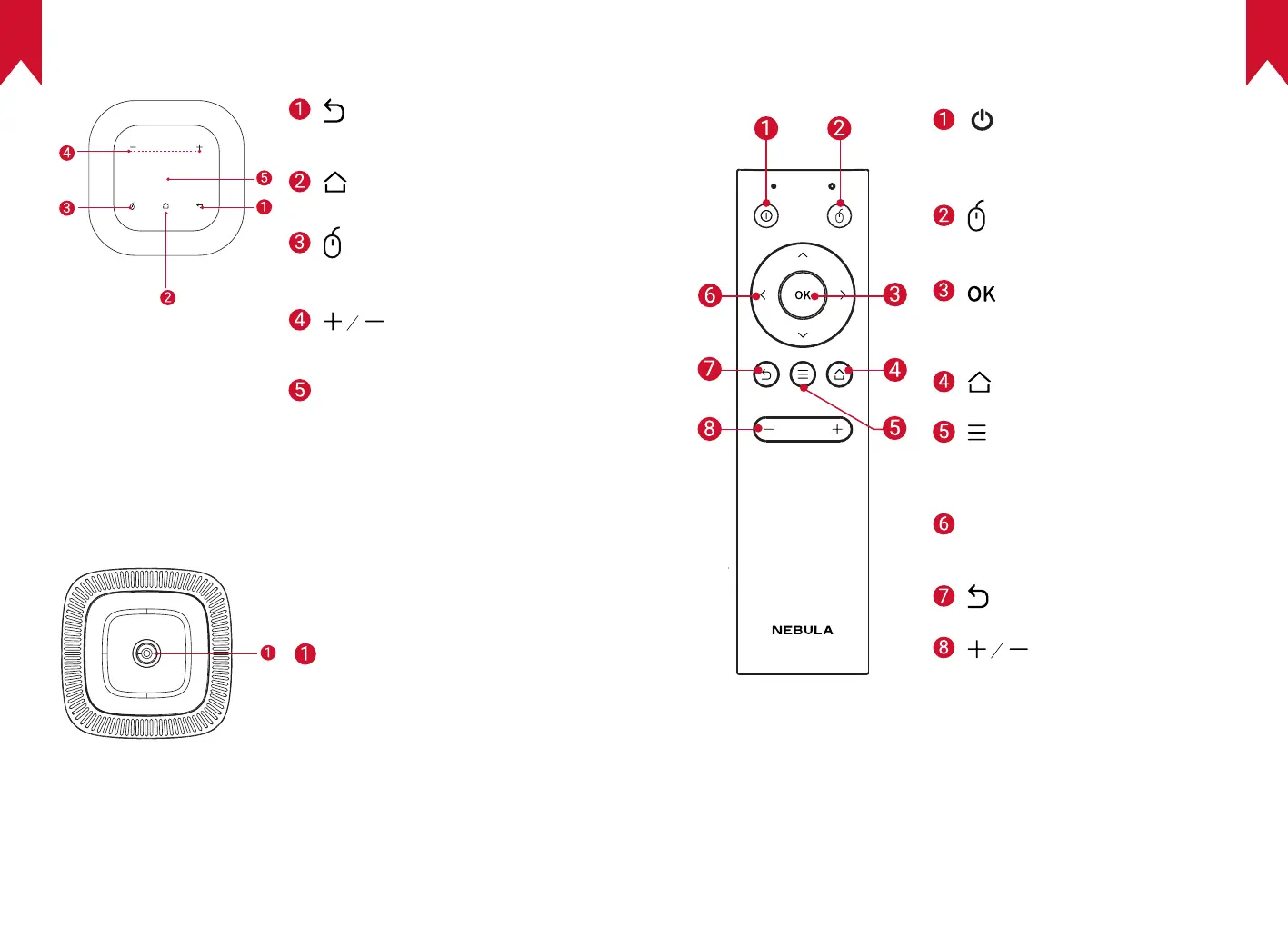
Top View
• Touch to return to the previous
menu
• Touch to open the home menu
• Touch to enter / exit mouse key
mode
• Touch to turn the volume up /
down
Navigation button
• Slide up, down, left, or right to
navigate
• Tap to conrm your selection
4.
Bottom View
Tripod socket
5.
Remote Control
• Press to select an option:
shutdown, standby, reboot, or
enter Bluetooth speaker mode
• Press to enter / exit mouse key
mode
• Press to conrm a selection or
entry
• Pause / resume play
• Open the home menu
• Access more options during
play (available options depend
upon the source)
Navigation buttons
• Navigate menus or adjust the
selected content
• Return to the previous menu
• Volume up / down



 To Next Page