EN
002001
EN
ASSEMBLING THE PRINTER
What You Need
M4
M5
M2.5
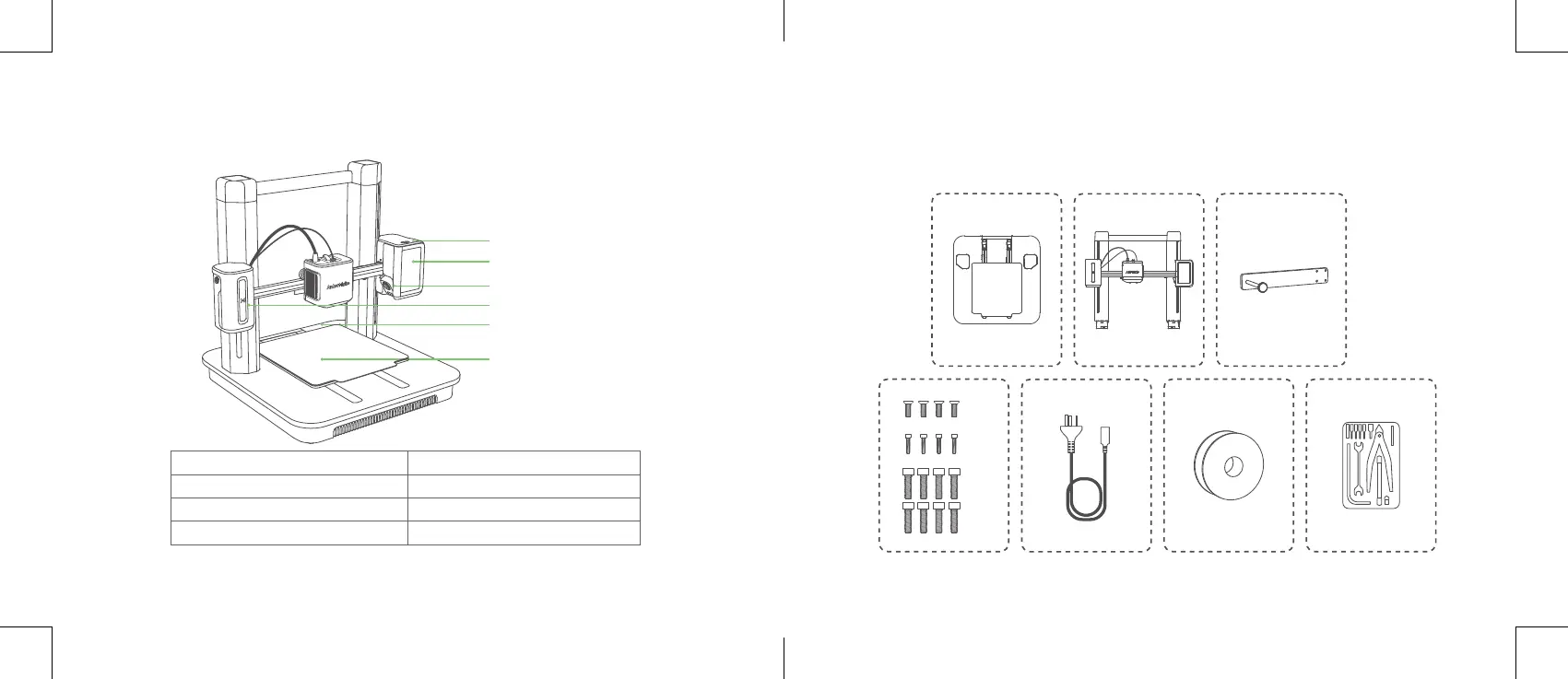
AT A GLANCE
USB-C Port
Touch Screen
Camera
Power Button
Indicator Light
PEI Plate
Indicator Light* Description
Flashing Orange Slowly Heating up
Fading Green Repeatedly Printing
Flashing Red An alarm is going off
* For more indicator light status, visit https://www.ankermake.com.
Product Name: AnkerMake M5 Model: V8111


 To Next Page