PT
158157
PT
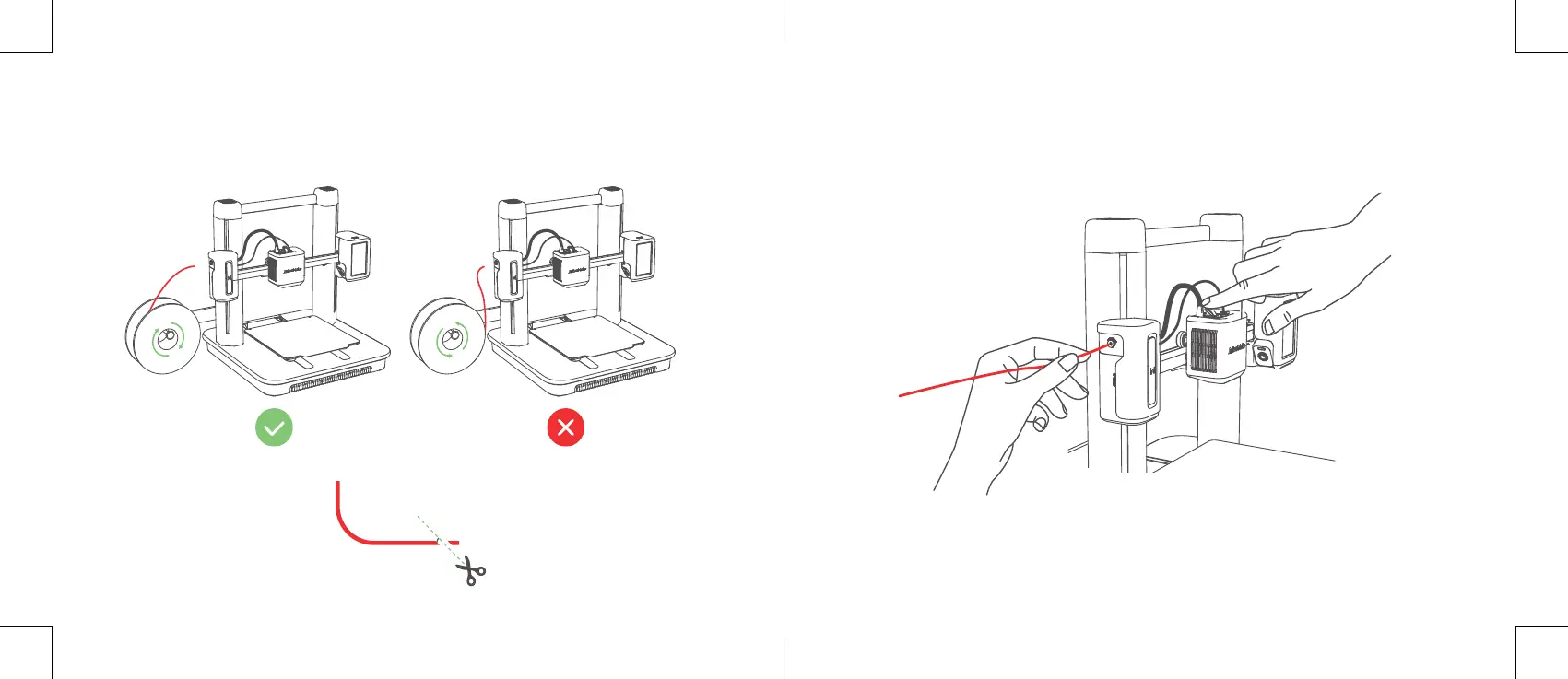
3. Introduza o lamento até alcançar o extrusor. Em seguida,
mantenha o botão no topo do extrusor premido e continue a
introduzir o lamento. Pare quando sentir resistência.
CARREGAMENTO DO FILAMENTO
1. Coloque o lamento no suporte.
2. Corte a extremidade do lamento num ângulo de 45°.


 To Next Page