EasyManua.ls Logo

anko 42825210 - User Manual

anko 42825210
4 pages
Print Icon
To Next Page IconTo Next Page
Loading...
13EK-038E R1
1.
2.
1. Clean the scale with a slightly damp cloth. DO NOT immerse the scale in water or use chemical /
abrasive cleaning agents.
2. All plastic parts should be cleaned immediately after contact with fats,spices, vinegar and strongly
flavored / colored foods. Avoid contact with acids citrus juices.
3. Always use the scale on a hard, flat surface. DO NOT use on carpet.
4. DO NOT strike,shake or drop the scale.
5. The scale is high precision device.Please take care of it.
6. Please keep it dry.
7. Please check whether battery is installed or in high level if scale can not be turned on.
8. The scal
e is for family use only, not for commerical purpose.
CLEANING AND CARE
1. Replace new battery.
2. Scale overload. Remove item to avoid damage.
Max.weight capacity is indicated on the scale.
WARNING INDICATORS
HANG ON THE WALL OR ON THE DESK
1. Scale can be put on the desk as a clock or decoration if lay the kickstand on the back of scale.
2. Scale can be hanged up on the wall by the hole. (Hook on wall not included)
Hole
Kickstand
Hole
This hole can be pull
out in use and back
after use.
* Picture for reference only, please prevail in actual item.
42825210
HEAVY WEIGHT
SCALE
Question and Answer IconNeed help?

Do you have a question about the anko 42825210 and is the answer not in the manual?

Summary

WARNING INDICATORS

Low Battery Indicator (Lo)

Displays "Lo" when the battery needs replacement. Max. weight capacity is indicated on the scale.

Overload Indicator (Err)

Displays "Err" when the scale is overloaded. Remove item to avoid damage.

HANG ON THE WALL OR ON THE DESK

Desk Placement Option

Scale can be placed on the desk as a clock or decoration using the kickstand.

Wall Hanging Method

Scale can be hanged up on the wall by the hole. (Hook on wall not included)

CLEANING AND CARE

Cleaning Instructions

Clean scale with a damp cloth. Do not immerse in water or use abrasive cleaning agents.

Care and Maintenance Tips

Protect plastic parts, use on hard flat surface, avoid drops, and keep dry.

PRODUCT OUTLINE AND KEY FEATURES

Product Overview

Diagram showing effective weighing area, LCD display, battery case, kickstand, and unit conversion button.

Key Specifications

Max capacity 10kg, high precision sensor, clock display, volume indication, Zero/Tare function.

Key Illustration

Explanation of ZERO/MODE button and unit conversion button location.

INSTALLING OR REPLACING BATTERY

Battery Installation Guide

Instructions for installing two 1.5V (AA/AAA) batteries, observing polarity.

SWITCHING ON AND SETTING TIME

Initial Time Setting

Steps to automatically enter time setting mode and set hour/minute.

RE-SETTING THE TIME

Adjusting Current Time

Procedure to re-set hour and minute from real time display mode.

STARTING WEIGHING AND VOLUME MEASUREMENT

Weighing Mode Operation

Steps to place scale, select weighing mode, load object, and tare.

Volume Indication Mode

Instructions for measuring liquid volume (water or milk) using the scale.

UNIT AND MODE SETTINGS

Weight Unit Conversion

How to convert weight units between Metric (g,kg) and Imperial (oz,lb) systems.

Mode Conversion

How to convert between weighing mode and volume mode (water/milk).

ZERO OR TARE FUNCTION USAGE

Zero Function

Resets LCD to "0" for weighing consecutive loads up to 4% of capacity.

Tare Function

Resets LCD to "0" for weighing consecutive loads over 4% of capacity.

CHANGING BETWEEN WEIGHING AND REAL TIME DISPLAY MODES

Switching Display Modes

How to switch between weighing mode and real time clock display.

Summary

WARNING INDICATORS

Low Battery Indicator (Lo)

Displays "Lo" when the battery needs replacement. Max. weight capacity is indicated on the scale.

Overload Indicator (Err)

Displays "Err" when the scale is overloaded. Remove item to avoid damage.

HANG ON THE WALL OR ON THE DESK

Desk Placement Option

Scale can be placed on the desk as a clock or decoration using the kickstand.

Wall Hanging Method

Scale can be hanged up on the wall by the hole. (Hook on wall not included)

CLEANING AND CARE

Cleaning Instructions

Clean scale with a damp cloth. Do not immerse in water or use abrasive cleaning agents.

Care and Maintenance Tips

Protect plastic parts, use on hard flat surface, avoid drops, and keep dry.

PRODUCT OUTLINE AND KEY FEATURES

Product Overview

Diagram showing effective weighing area, LCD display, battery case, kickstand, and unit conversion button.

Key Specifications

Max capacity 10kg, high precision sensor, clock display, volume indication, Zero/Tare function.

Key Illustration

Explanation of ZERO/MODE button and unit conversion button location.

INSTALLING OR REPLACING BATTERY

Battery Installation Guide

Instructions for installing two 1.5V (AA/AAA) batteries, observing polarity.

SWITCHING ON AND SETTING TIME

Initial Time Setting

Steps to automatically enter time setting mode and set hour/minute.

RE-SETTING THE TIME

Adjusting Current Time

Procedure to re-set hour and minute from real time display mode.

STARTING WEIGHING AND VOLUME MEASUREMENT

Weighing Mode Operation

Steps to place scale, select weighing mode, load object, and tare.

Volume Indication Mode

Instructions for measuring liquid volume (water or milk) using the scale.

UNIT AND MODE SETTINGS

Weight Unit Conversion

How to convert weight units between Metric (g,kg) and Imperial (oz,lb) systems.

Mode Conversion

How to convert between weighing mode and volume mode (water/milk).

ZERO OR TARE FUNCTION USAGE

Zero Function

Resets LCD to "0" for weighing consecutive loads up to 4% of capacity.

Tare Function

Resets LCD to "0" for weighing consecutive loads over 4% of capacity.

CHANGING BETWEEN WEIGHING AND REAL TIME DISPLAY MODES

Switching Display Modes

How to switch between weighing mode and real time clock display.

Overview

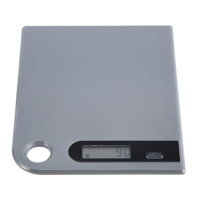
This document describes the Anko Heavy Weight Scale, a high-precision device designed for family use. It functions as both a kitchen scale and a real-time clock, offering versatility for various household needs.

Function Description

The Anko Heavy Weight Scale primarily serves as a weighing device with a maximum capacity of 10kg. It utilizes a high-precision strain gauge sensor to ensure accurate measurements. Beyond its primary weighing function, it also features a real-time clock display, allowing it to be used as a decorative clock when not actively weighing. The scale can indicate the volume of both water and milk, making it useful for recipes requiring liquid measurements. It includes a Zero/Tare function, which is essential for weighing multiple ingredients consecutively or for subtracting the weight of a container. The scale also provides indications for low battery power and overload conditions.

Important Technical Specifications

  • Max Capacity: 10kg
  • Sensor Type: High-precision strain gauge sensor
  • Unit Systems:
    • Weight: g (grams), kg (kilograms), lb:oz (pounds:ounces)
    • Volume: ml (milliliters), fl'oz (fluid ounces)
  • Power Source: 2x1.5V (AA/AAA) batteries (not included)
  • Display: LCD with indicators for Zero, AM/PM, Tare, Negative Value, Mode, Weight unit (kg, ml, fl'oz, lb:oz), Volume unit, Weighing mode, Water volume mode, and Milk volume mode.

Usage Features

Placement: The scale is designed for flexible placement. It can be laid on a desk, utilizing its kickstand on the back, to function as a clock or decoration. Alternatively, it can be hung on a wall using the built-in hole (hook not included). The hole can be pulled out for use and retracted afterward.

Battery Installation/Replacement: The scale requires 2x1.5V (AA/AAA) batteries. To install or replace batteries, remove any package foil. If replacing, use a sharp object to remove old batteries. Install new batteries by placing one side down first and then pressing the other side, ensuring correct polarity.

Time Setting: Upon battery installation, the scale automatically enters time setting mode.

  1. When the hour display flashes, touch the "ZERO/MODE" button to set the hour, paying attention to AM/PM selection.
  2. Press the "A" button to confirm the hour and proceed to minute setting.
  3. When the minute display flashes, press "ZERO/MODE" to set the minute.
  4. Press the "A" button to finish time setting and enter weighing mode.
  • Remark: During time setting, the scale will automatically enter weighing display after 60 seconds of inactivity. After entering weighing mode, it will return to real-time display automatically after 120 seconds of inactivity. The time mode (12/24 hour) depends on the sales destination or distributor requirements.
  • Re-setting Time: In real-time display mode, press the "A" button for 3 seconds to enter time setting mode. Adjust time using "ZERO/MODE" and confirm with "A". Continuous pressing of "ZERO/MODE" speeds up value advancement.

Starting Weighing:

  1. Place the scale on a hard, flat surface (avoid carpet).
  2. Press "ZERO/MODE" to switch from clock to weighing status. Wait until the LCD shows "0".
  3. If the LCD shows volume mode, press "ZERO/MODE" to convert to weighing mode.
  4. Load the object to be weighed onto the scale (or in a bowl). The LCD will display the weight reading.
  5. If using a bowl, place it on the scale first and tare the reading before adding ingredients.

Volume Indication Mode:

  1. Place the scale on a solid, flat surface.
  2. Press "ZERO/MODE" to change the mode from clock to weighing status, and wait until LCD shows "0".
  3. Press and hold "ZERO/MODE" for 3 seconds to convert to Water or Milk mode (refer to mode setting for details).
  4. Place a liquid container onto the scale platform. The LCD will show the weight of the container.
  5. Press "ZERO/MODE" to reset to "0" and tare the container.
  6. Pour liquid (water or milk) into the container. The LCD will display the volume of the liquid.
  7. Press "ZERO/MODE" to convert back to weighing mode to check the weight of the liquid.

Unit and Mode Setting:

  • Weight Unit Conversion: If the scale supports both Metric (g, kg) and Imperial (oz, lb) systems, press the "A" button shortly to convert between these systems during weighing.
  • Mode Conversion: Press "ZERO/MODE" for 3 seconds to enter mode setting and convert between weighing mode and volume mode (water or milk).
  • Remark: The unit system of the scale depends on the sales destination or distributor requirements.

"ZERO" or "TARE" Function: This function allows consecutive weighing of different loads without removing previous items from the scale.

  1. Place the first load on the scale and get its weight reading.
  2. Press the "ZERO/MODE" button to reset the LCD reading to "0" before adding the next load. This process can be repeated.
  • Condition 1: "ZERO" function (Total sum of all loads on scale ≤ 4% of max capacity):
    • The LCD will show "-----" (not stable, wait) or "0g" with a "ZERO" icon in the upper left corner, indicating the ZERO function is active. Max capacity remains unchanged.
  • Condition 2: "TARE" function (Total sum of all loads on scale > 4% of max capacity):
    • The LCD will show "-----" (not stable, wait) or "0g" with a "TARE" icon in the upper left corner, indicating the TARE function is active. Max capacity is reduced by the total weight of all tared loads.

Changing Between Weighing Mode and Real-Time Display Mode: The scale will automatically return to real-time display mode after 120 seconds of inactivity in weighing mode.

Maintenance Features

Cleaning and Care:

  1. Clean the scale with a slightly damp cloth.
  2. DO NOT immerse the scale in water.
  3. DO NOT use chemical or abrasive cleaning agents.
  4. Clean all plastic parts immediately after contact with fats, spices, vinegar, and strongly flavored/colored foods.
  5. Avoid contact with acidic citrus juices.

General Care:

  1. Always use the scale on a hard, flat surface. DO NOT use it on carpet.
  2. DO NOT strike, shake, or drop the scale, as it is a high-precision device.
  3. Keep the scale dry.
  4. If the scale cannot be turned on, check if the battery is installed correctly or if it needs replacement (low battery).
  5. The scale is intended for family use only, not for commercial purposes.

Overload Indication: If the scale displays "Err", it indicates an overload. Remove the item to avoid damage. The maximum weight capacity is indicated on the scale.

Low Battery Indication: If the scale displays "Lo", it indicates low battery. Replace the battery.
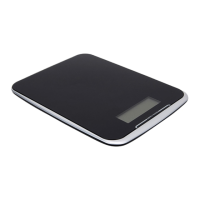
anko 42825210 Specifications

General IconGeneral
Brandanko
Model42825210
CategoryScales
LanguageEnglish

Related product manuals