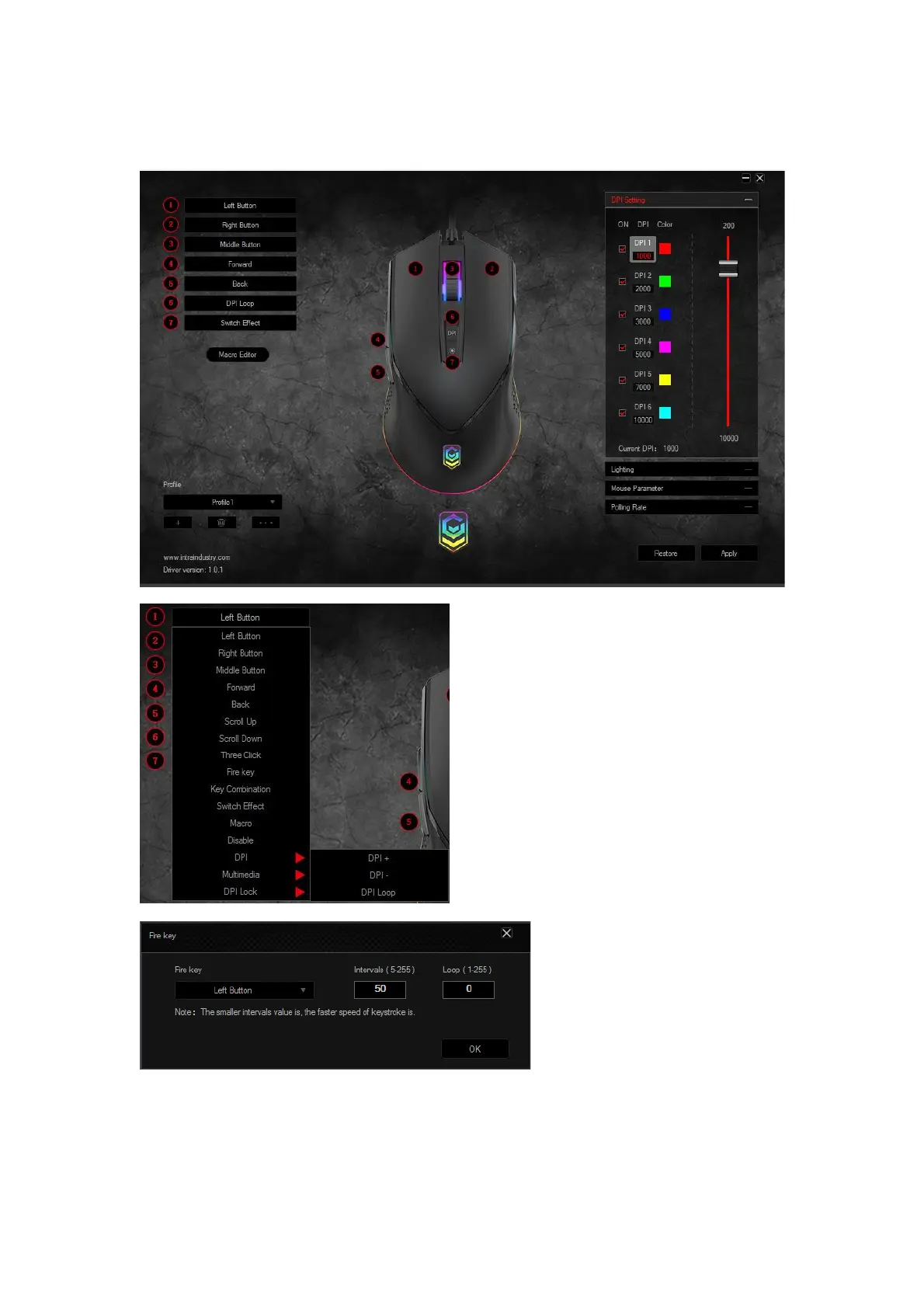
Main interface and functions description:
After install “KM43030545 Gaming Mouse Setup”, double click it to enter the program.
1. Left button: left button function
2. Right button: right button function
3. Middle button: middle button function
4. Forward button: enter to next page


 To Next Page