SET (O N / SET) :
:
:
Turn on the scale and prompt to next parameter.
(Please refer to the Setting Personal Parameter overleaf)
Advance the value by one interval each press.
Continuous pressing will speed up the advance of value.
Decrease the value by one interval each press.
Continuous pressing will speed up the decrease of value.
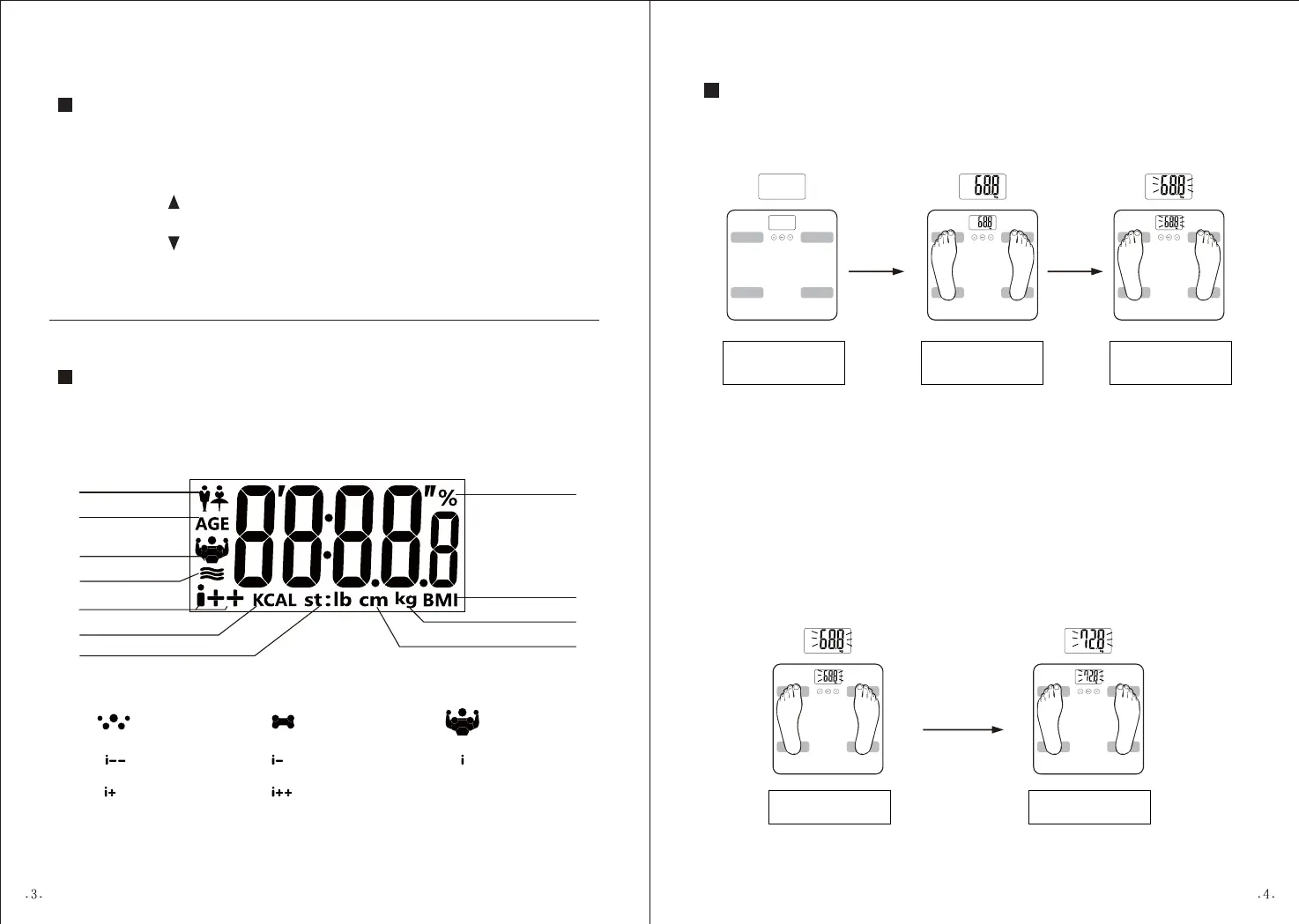
KEY ILLUSTRATION
Thin Slim Normal
Heavy Overweight
Gender
Hydration%
Fat status
indication
Fat%/Muscle%/
Bone%
Muscle%
Bone%Fat%
Height Unit
Basal metabolism Unit
Weight Unit
Weight Unit
(Note: LCD display differs from one to another, so below picture is indicative only.)
LCD ICONS INDICATION
%
Age
BMI
OPTIONAL NORMAL WEIGHING MODE
1.Auto step on weighing
Install battery (please
refer to Page 2), and
place the scale on
flat floor
Display your weight
Digits flash,
stabilized and locked
Step on the
weighing
platform
After digits stabilize, more additional loadings can be conducted. Ensure
each add-on loading has to exceed 2kg to get a new reading.
Example: If you want to get a weighing value of your baby, you can weigh
yourself first, and then hold your baby together, without stepping off the
scale. Then you will get the total weight reading. Subtracting the previous
reading of yourself from the new reading, you will get the difference as
your baby's weighing value.
2. Consecutive add-on weighing
Digits flash,
stabilized and locked
Display total weight.
Hold your baby
without stepping
off the scale.


 To Next Page