into contact with your skin, wash the affected area with lots of water and soap.
If the device is not to be used for an extended period of time, then the batteries should be removed,
as the device could become damaged should they leak. If the device functions weaken, replace all
batteries.
Batteries do not belong in household waste! Expired batteries must be disposed of in an
environmentally friendly way and according to the applicable legal regulations.
Batteries are very dangerous if swallowed. Please keep the batteries and the device components
away from children at all times. If a battery is swallowed, seek medical attention immediately.
Batteries must not be recharged or activated with other means, dismantled, thrown into fire or
short-circuited.
Remove the batteries prior to disposing of the device.
Connecting the USB Receiver
1. Remove the USB receiver from its compartment inside the keyboard.
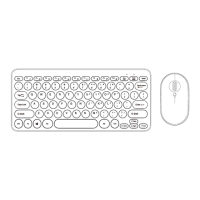
2. Plug the USB receiver into a free USB port on the computer, then the mouse and keyboard are
connected. The device does not require a driver.
Auto Wake Sleep
After a period of non-use, your mouse and keyboard will enter sleep mode to save battery life. To
wake your keyboard, simply press any key or move your mouse.


 To Previous Page