Rev 9/20/18 pg. 15
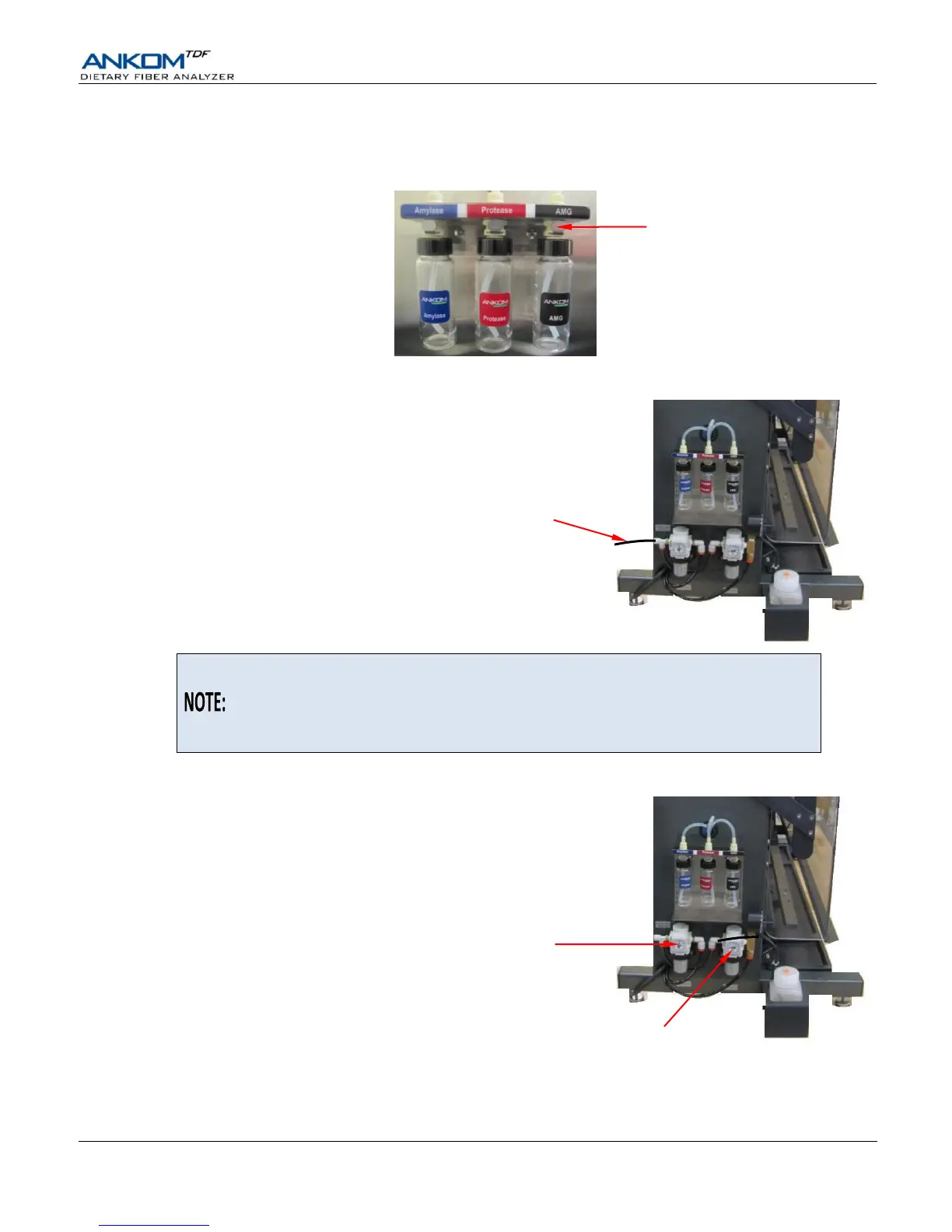
10. Connect the Enzyme Containers to the corresponding ports.
The Enzyme Containers connect into labeled, color-coded ports on the left side of the instrument using push-on
connectors. Make sure that you hear a click sound when you connect the enzyme containers to the ports.
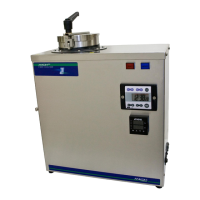
11. Connect the Nitrogen Supply to the Nitrogen Supply Port.
Connect the 3 meter Air Tube (8216) that came with the
instrument to the Nitrogen Supply Port on the instrument
and to the Nitrogen Supply.
If you want to use a separate tube to connect your instrument to a Nitrogen Supply,
the Nitrogen Supply Port has a Push-to-Connect fitting that accepts ¼” OD tubing.
Acceptable tubing materials include Nylon, Polyurethane, Polyolefin, and
Polytetrafluoroethylene (PTFE). The tubing material must be suitable for the
specified pressure.
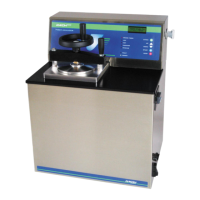
12. Verify that the High and Low Pressure Regulators are set properly.
Verify that the High Pressure Regulator is set to 50 psi (3.5 bar), and the
Low Pressure Regulator is set to 4-6 psi (0.3-0.4 bar).
Nitrogen Supply Port
80-100 psi
(5.5-6.9 bar)
High Pressure Regulator
50 psi
(3.5 bar)
Low Pressure Regulator
4-6 psi
(0.3-0.4 bar)


 To Next Page