pg. 54 Rev 9/20/18
17. Connect the Nitrogen Supply to the instrument and turn on.
Make sure the Nitrogen supply in your lab is connected to the instrument and turned on. The pressure gauges on the
instrument should show 50-55 psi on the left and about 4 psi on the right.
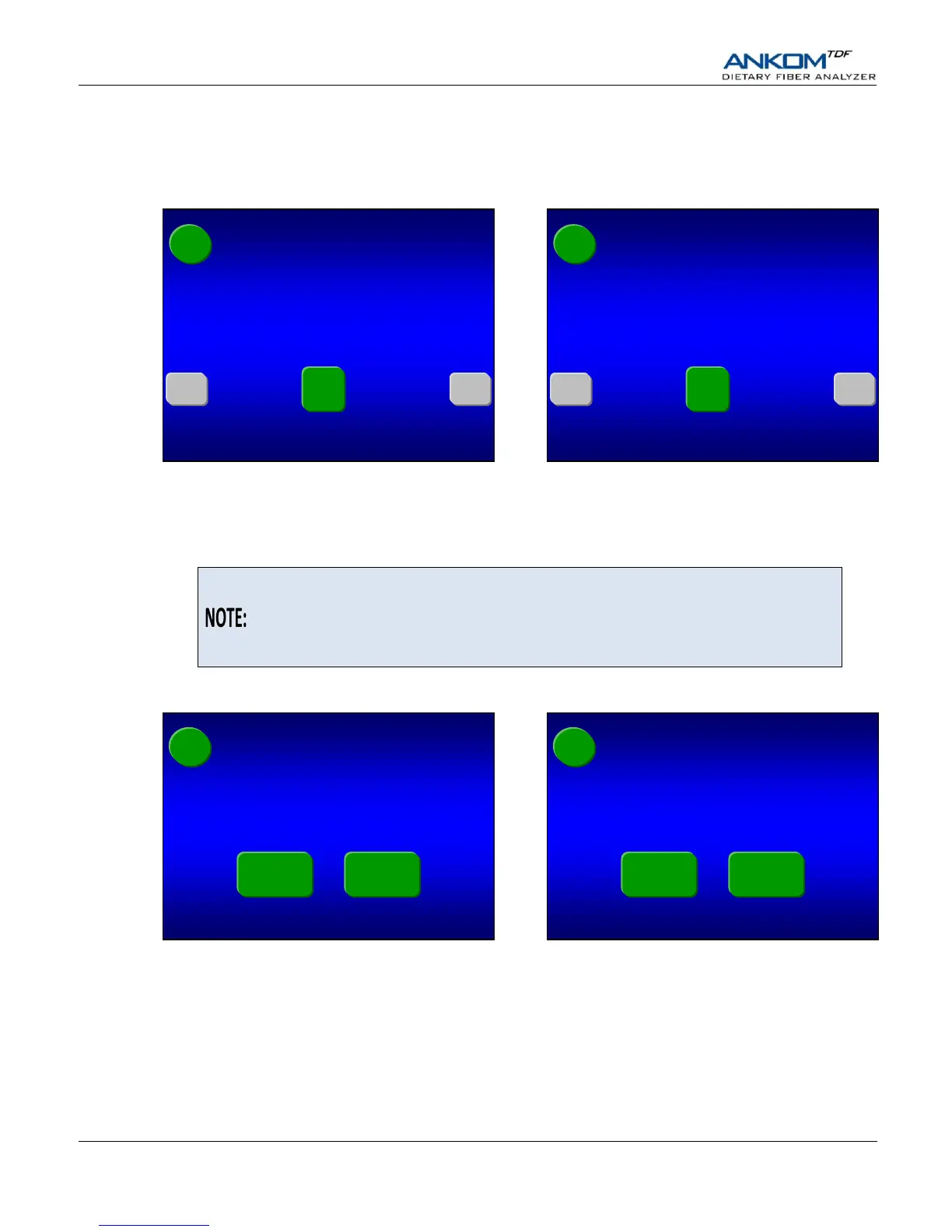
Press the check mark () button on the Touch Screen Display. One of the following screens will be displayed.
18. Set filter times (in minutes).
Because different samples take different amounts of time to filter, the above screen allows you to set your filter times. To
change any of the times shown on the screen, press the specific gray button. A number pad will be displayed that will
allow you to enter the time that you want. The times you enter will remain until you change them again.
The initial filter times shown when you first run the instrument are based on factory
experience. During filtration the computer allows you to bypass the filter time if
you notice the filtering is complete. The computer also allows you to add time
during filtering if needed (see the “Status Screen” section of this manual for more
detail).
When all of the times shown on the screen are what you want, press the check mark () button on the Touch Screen
Display. One of the following screens will be displayed.
19. Set the manual pH check for after the Protease digestion.
When running the AOAC 985.29 method or the AOAC 2001.03 method, the instrument will always stop just before the
Protease digestion (after the bags have cooled to the appropriate temperature) and ask you to adjust pH.
If you plan to also check/adjust the pH after the Protease digestion, press the Yes button on the screen above. Otherwise,
press the No button. One of the following screens will be displayed.
SDF Filter minutes OK?
(Press button with number to change)
SDF Filter minutes OK?
(Press button with number to change)


 To Next Page