EasyManua.ls Logo

Ankom TDF - Page 87

Ankom TDF
96 pages
Print Icon
To Next Page IconTo Next Page
To Previous Page IconTo Previous Page
Loading...
Operator’s Manual
Rev 9/20/18 pg. 87
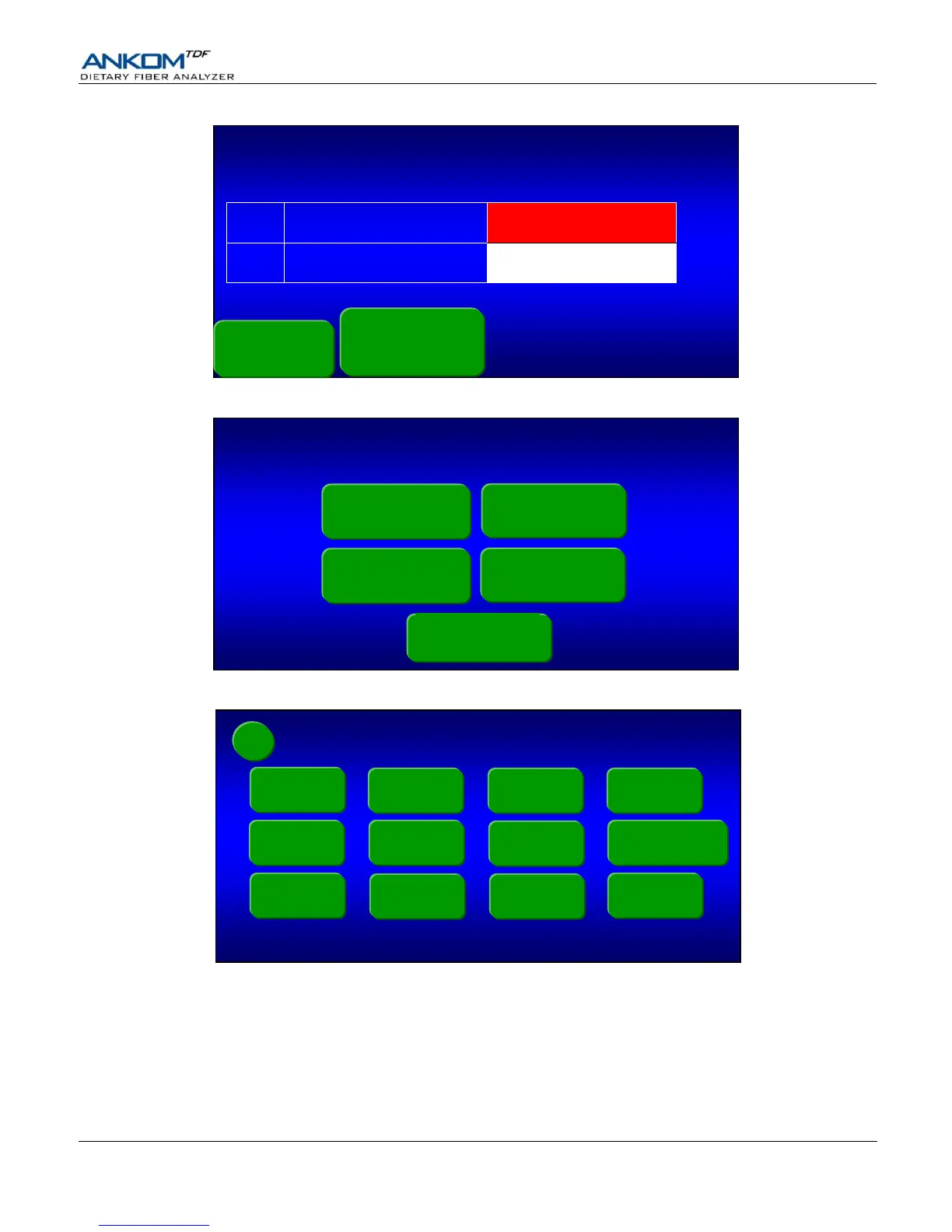
5. Press the Main Menu button. The following screen will be displayed.
6. Press the Diagnostics button. The following screen will be displayed.
7. Press the Service Mode button. The following screen will be displayed.
Diagnostics
Touch Screen Display version: A.AA
SPLat controller software version: vX.XX dd-mm-yy
Pump Tube
Test
Expert Mode
(OFF)
Faults
Service
Mode
Clear IDF /
SDF lines
Digestion
Times
Heater Test
Temperatures
Pressures
Line Charge
Motor Test
Valve Test
Select a Function
AOAC 991.43
IDF/SDF
AOAC 985.29
TDF
Diagnostics
AOAC 991.43
TDF
AOAC 2001.03
TDF
Status
Overall Progress
Action in progress
IDF
Time remaining:
IDF Aborted
XX:XX:XX
SDF
Time remaining:
XX:XX:XX
pH required?
Display
Temps/Pressures
Yes
AOAC
Method
Procedure
Vacuum xx.x
cur: - x.x
max: - x.x
Main Menu