17
BER Measurement Procedure
1. Start MX183000A PAM4 Control
2. Adjust G0375A amplitude, Emphasis, skew, and pattern by referring to the previous
slides. Pattern setting sets the same pattern for both Tx and Rx.
3. [For loopback performance check] connect the G0375A output directly to G0376A
decoder input.
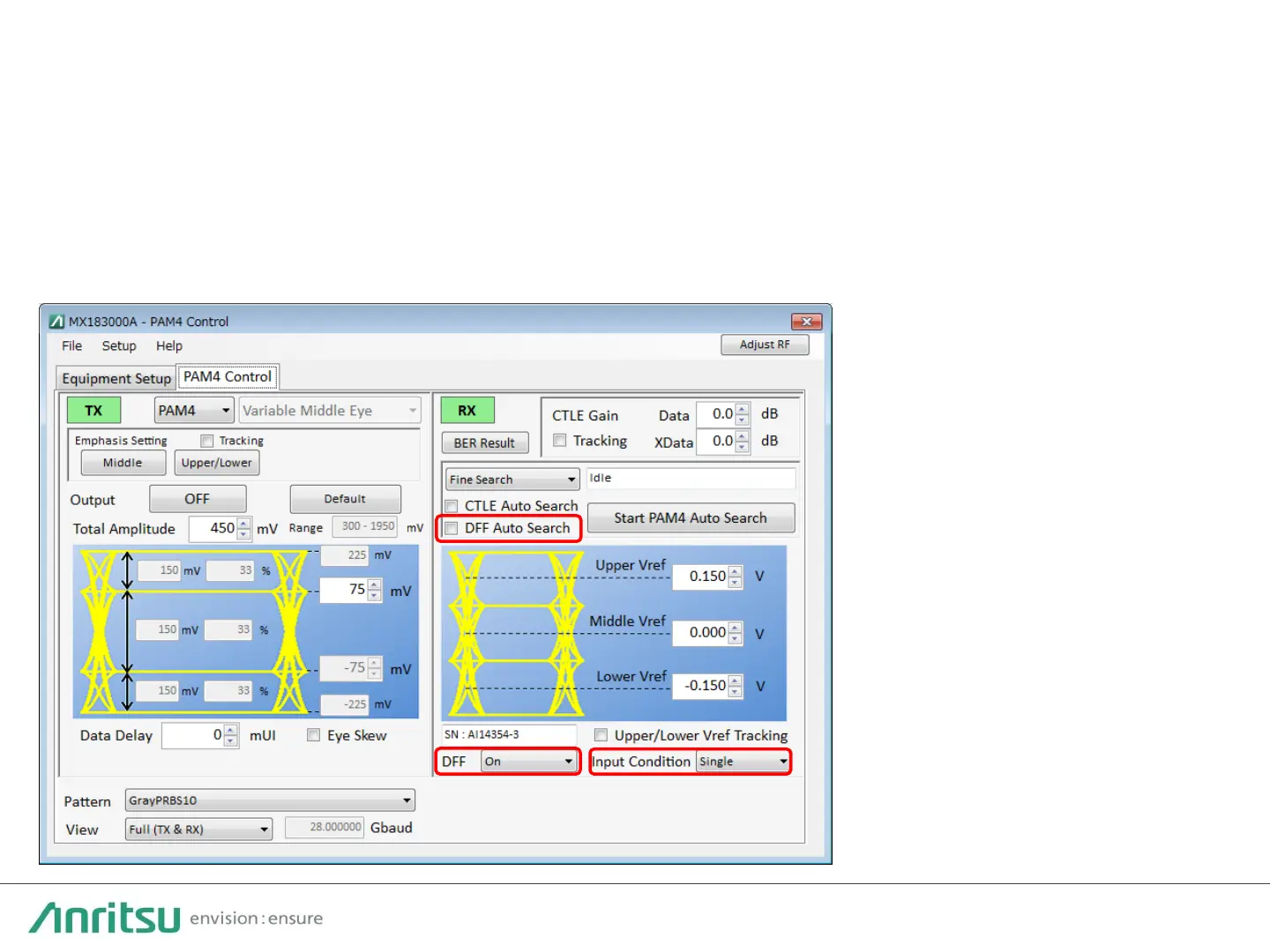
4. Ensure [DFF] is set to ON.
5. Ensure [Input Condition]
is set to Differential when
the input condition is
differential.
6. Put a check mark in the
[DFF Auto Search] check
box.
7. Click [Start PAM4 Auto
Search].
8. Click [BER Result] to
display measurement
results.



 To Next Page