EN
85
TECHNICAL DATA
Rated voltage 230 V
Size W350 x H510 x D245 mm
Weight 15.2 kg
Output 280 W @27°C/60%
Temperature range 5-32°C
Air ow 99/125/168 m³/h
Dehumidifying capacity 20 l/24 h
Tank volume 3 L
Noise level 46 dB
Cord length 1.6 m
Refrigerant R290 (70 g)
DESCRIPTION
PARTS
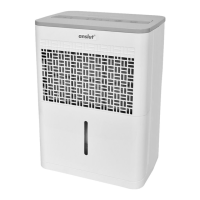
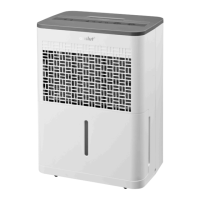
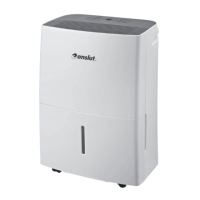
Front
1. Control panel
2. Handle (on both sides)
3. Air outlet grille
4. Water container
5. Sight glass for water level.
FIG. 1
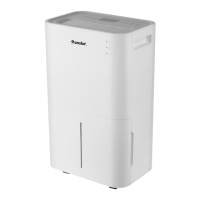
Back
1. Drain outlet
2. Wheel
3. Power cord and plug.
4. Air inlet grille
5. Air lter (inside air inlet grille).
6. Cord holder (for storage).
FIG. 2
NOTE:
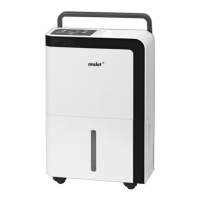
The diagrams in these instructions are only
intended as illustrations. The dehumidiercan
dier from the diagrams in these instructions.
The controls and functions are the same.
CONTROL PANEL
1. Status light for wireless connection,
(not this model).
2. Status light, Timer.
3. Status light for fan speed, Low, High, Med.
4. Status light for full water container.
5. Status light for drying.
6. Status light for continuous operation.
7. Status light for smart dehumidication.
8. Power status light.
9. Button OFF/ON.
10. Mode selector
11. Adjusting buttons for humidity.
12. Display
13. Adjusting buttons for humidity.
14. FAN button.
15. TIMER button.
16. Wireless button (not this model).
FIG. 3
NOTE:
The control panel on the dehumidier may
dier from the diagrams, depending on the
model.
USE
CONTROL PANEL
Button OFF/ON
Press to start/switch o the dehumidier.
NOTE:
A loud noise can be heard when the
compressor starts or stops. This is quite
normal.
Mode selector
Press to select operating mode:


 To Next Page