EN
88
• Connect the dehumidier to a separate
power circuit.
• Put the dehumidier in a suitable place
and make sure that the power point is
easily accessible.
• The dehumidier must only be connected
to a correctly earthed power point.
• Check that the water container is properly
inserted, otherwise the dehumidier will
not work.
NOTE:
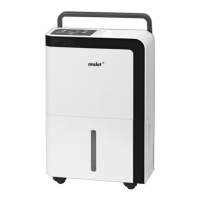
• Wheels are not included on all models.
• Move the dehumidier carefully when
there is water in the container.
Deating
The water can drained o in two ways.
• Water container
• Continuous drainage
Water container
1. The status light Full goes on when the
water container is full and P2 is shown on
the display.
2. Carefully pull out the water container. Grip
the handles on both sides rmly and pull
the container straight out. Do not put the
container down – the bottom is uneven
and it cannot stand upright.
3. Pour out the water and replace the
container. Check that the water container
is properly inserted, otherwise the
dehumidier will not work.
4. The dehumidier starts automatically with
the previous settings when the container
is replaced.
FIG. 5
NOTE:
• Do not touch any parts inside the
dehumidier when removing the water
container, this could damage the
dehumidier. Push the water container
carefully into the dehumidier, otherwise
the dehumidier can be damaged.
• Wipe o any spilled water in the
dehumidier before replacing the
container.
Continuous drainage
The water can be drained automatically to a
drain with a hose (sold separately).
1. Remove the rubber plug from the outlet
on the back of the product. Connect a
suitable hose (inner diameter 13.5 mm)
and lead it to the drain.
2. Check that the hose and coupling are tight.
3. Make sure the hose is not creased or
clenched.
4. Lead the hose to a suitable drain and
make sure that the end of the hose points
down. Never point the end of the hose up.
5. The drain must be lower than the outlet
on the dehumidier.
6. Set the required target humidity and fan
speed to activate continuous drainage.
FIG. 6
NOTE:
• Remove the hose from the outlet and
replace the rubber drain plug if
continuous drainage is not used.
• Connect a hose to the outlet.
• Remove the rubber drain plug.
MAINTENANCE
CLEANING
Switch o the dehumidier and pull out the
plug before cleaning.


 To Next Page