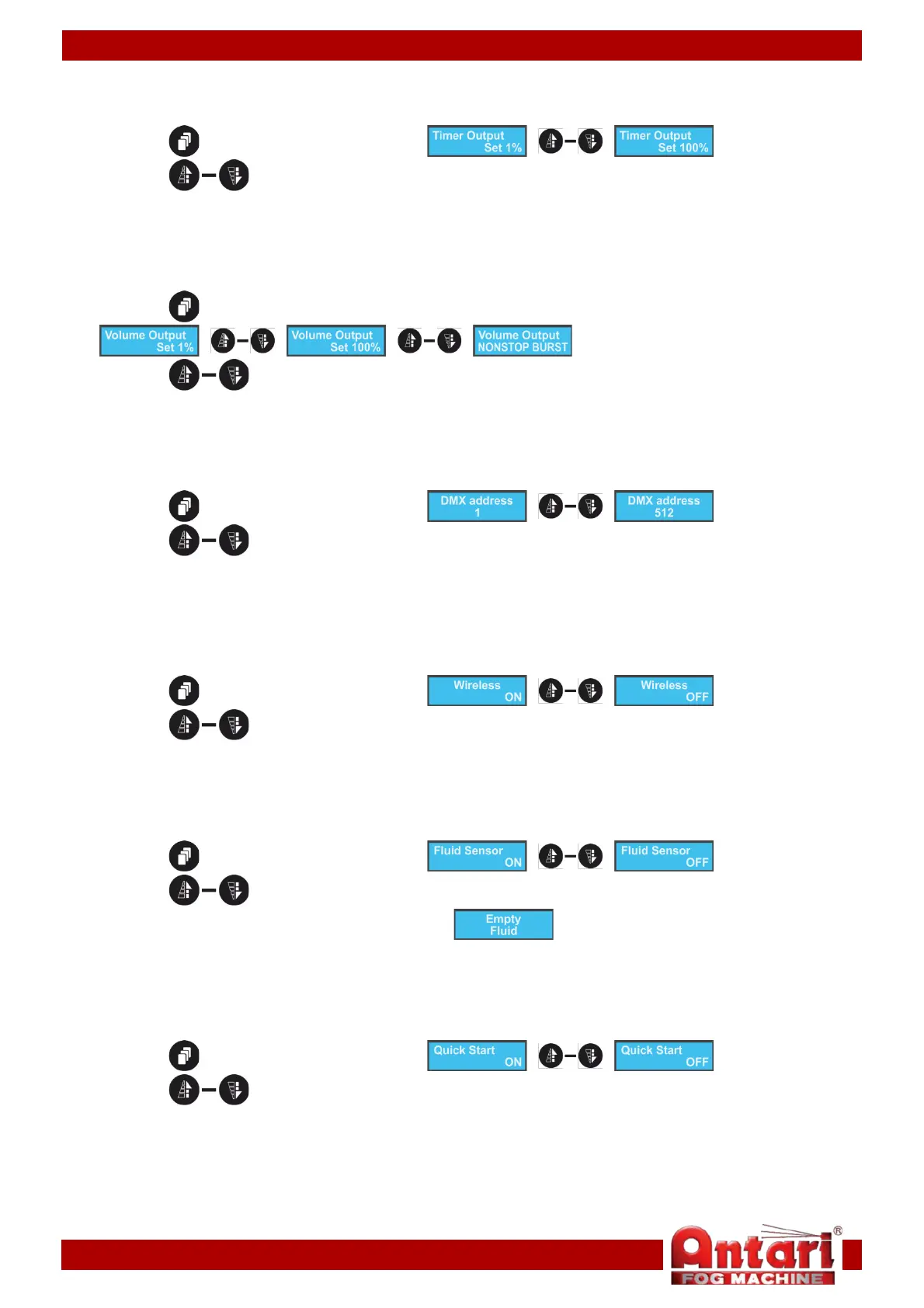
4. Timer output settings (Timer mode)
With this menu, you can set the volume of the fog output in Timer mode.
01) Press the button until the display shows .
02) Press the buttons to set the volume. The adjustment range is between 1-100% (from small
to big output).
5. Continuous output volume settings (Continuous mode)
With this menu you can set the volume of the fog output in Continuous mode.
01) Press the button until the display shows
.
02) Press the buttons to choose between 1-100% (from small to big output) and NONSTOP
BURST (continuous output).
6. DMX settings
With this menu, you can set the starting address of the Antari IP-1500.
01) Press the button until the display shows .
02) Press the buttons to set the desired DMX address. The adjustment range is between 001-
512.
7. Wireless settings
With this menu, you can set whether the device reacts to the remote control. Please, see page 14 for
more information on the remote control operations.
01) Press the button until the display shows .
02) Press the buttons to choose between ON and OFF.
8. Fluid sensor
With this menu, you can set the fluid sensor. It will react to the fog fluid level and will notify the user if the
fluid level is low.
01) Press the button until the display shows .
02) Press the buttons to choose between ON and OFF.
03) When this option is active, the display will show , whenever the fog fluid level is low.
9. Quick start
With this menu, you can set whether the device remains idle on start-up or if it runs in the previously active
mode.
01) Press the button until the display shows .
02) Press the buttons to choose between ON and OFF.
03) On start-up, when this option is switched ON, the device will run the mode which was active when
the power supply was switched off.
04) When this option is switched OFF, the device will remain idle.
13


 To Next Page