EasyManua.ls Logo

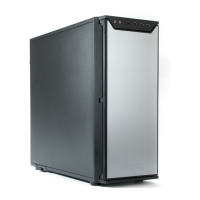
Antec P160 - User Manual

Antec P160
5 pages
Print Icon
To Next Page IconTo Next Page
Loading...
User’s Manual
Manuel de l’utilisateur
Anwenderhandbuch
Manuale per l’operatore
Manual del usuario
P160

Other manuals for Antec P160

Question and Answer IconNeed help?

Do you have a question about the Antec P160 and is the answer not in the manual?

Summary

Disclaimer

Setting Up

Installing the Power Supply

Installing the Motherboard

Connecting the Front Control Panel

Connecting the Power Switch and LEDs

Connect ATX power, reset switch, power switch, and LEDs to motherboard headers.

Connecting the USB Ports

Connect front panel USB 2.0 ports to motherboard USB headers following pinout standards.
Connecting the IEEE 1394 Ports

Connecting the Audio Ports

Connecting the Temperature Display Sensor

Installing 5.25 Devices

Installing External 3.5 Devices

Installing Internal 3.5 Devices

Connecting Data Cables

Installing the Fan

Maintaining the Washable Air Filter

Antec P160 Specifications

General IconGeneral
BrandAntec
ModelP160
CategoryEnclosure
LanguageEnglish

Related product manuals