Need help?
Do you have a question about the Antec VSK-1000 and is the answer not in the manual?
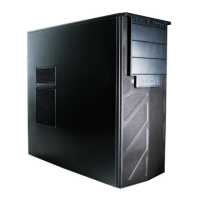
Detailed specifications of the computer case dimensions, weight, color, and materials.
Labeled diagram illustrating the location of key internal and external components of the case.
Identification and quantity of screws and standoffs included for hardware installation.
Instructions for placing and preparing the computer case for component installation.
Guide on how to properly mount the power supply unit within the case.
Step-by-step instructions for mounting the motherboard onto the case standoffs.
Procedure for installing internal 3.5-inch hard drives into the drive bays.
Steps for installing external 5.25-inch devices like optical drives.
Instructions for installing external 3.25-inch devices, if applicable.
Guide for mounting a 2.5-inch SSD at the bottom of the case.
Techniques for organizing and routing excess cables within the case for better airflow.
Details on connecting the front USB 2.0 ports to the motherboard headers.
Guide for connecting front panel audio jacks to motherboard audio connectors.
Instructions for connecting front panel power and HDD LED switches to the motherboard.
Procedure for reconfiguring front panel connector pins on the motherboard.
Information on the pre-installed 120mm and 140mm TwoCool™ fans and their specifications.
Instructions for installing optional 120mm fans at the front for improved airflow.
 General
| Type | Mid Tower |
|---|---|
| Material | Steel |
| Motherboard Support | ATX, Micro-ATX, Mini-ITX |
| Expansion Slots | 7 |
| Color | Black |
| Drive Bays | 2 x 2.5" |
| Front Ports | Audio In/Out |
| Power Supply | Standard ATX |

 To Next Page