EasyManua.ls Logo

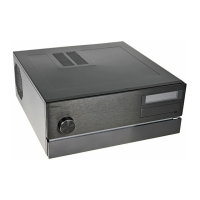
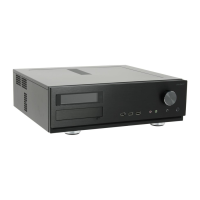
Antec Fusion Remote Max - User Manual

Antec Fusion Remote Max
11 pages
Print Icon
To Next Page IconTo Next Page
Loading...
Fusion Remote Max
User’s Manual
Manuel de l’utilisateur
Anwenderhandbuch
Manuale per l’operatore
Manual del usuario
পᡅ䂀ᯢ᳌
TM
Media Components
Ё᭛Փ⫼᠟ݞ
Question and Answer IconNeed help?

Do you have a question about the Antec Fusion Remote Max and is the answer not in the manual?

Summary

Installing the Motherboard

Connecting the Switches and LED

Installing the Power Supply

Connecting the USB Ports

Connecting the IEEE 1394 (FireWire, i.Link) Port

Connecting the eSATA Port

Connecting the Audio Ports (AC97 and HDA)

The Display;Volume Control and the Remote Control

Hard disk Drive Installation

5.25 Device Installation

Cooling System

The 120 mm TriCool fan

Details the rear exhaust fan and its specifications.

The 140 mm TriCool Fan

Details the side exhaust fan and its specifications.

Airflow and Ventilation

Antec Fusion Remote Max Specifications

General IconGeneral
TypeHTPC Case
Form FactorMicro ATX
Remote ControlYes
ColorBlack
Expansion Slots4
MaterialSteel
Cooling System1 x 120mm Fan (included)
Front Ports2 x USB 2.0, Audio In/Out
Power SupplyNot included
DisplayLCD
Included AccessoriesRemote Control

Related product manuals