Need help?
Do you have a question about the Antec P193 and is the answer not in the manual?
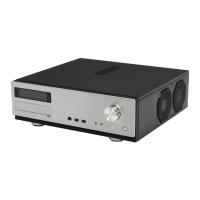
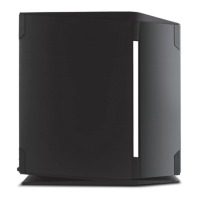
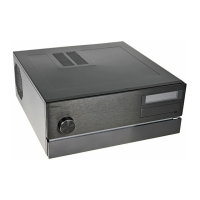
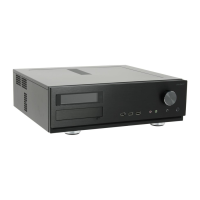
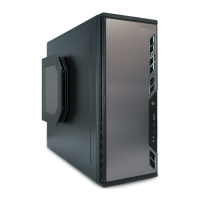
Details the physical and technical specifications of the Antec P193 computer case.
Provides an illustrated overview of the case components and their locations.
Instructions on how to prepare and open the computer case for hardware installation.
Guidance on how to install the power supply unit (PSU) into the case.
Specific instructions for mounting Antec CP Series power supplies.
Tips for managing and routing cables using the case's compartment.
Steps for correctly installing the motherboard into the case.
How to install internal 3.5-inch hard drives into the drive cages.
Instructions for installing devices into the external 3.5-inch drive bay.
Steps for installing devices into the external 5.25-inch drive bays.
Guide to connecting the front panel USB 2.0 cable to the motherboard header.
Instructions for connecting the front panel eSATA port to the motherboard.
How to connect the front panel audio connectors to the motherboard.
Connecting front panel power/reset switches and HDD LEDs to the motherboard.
Procedures for reconfiguring motherboard header pin-outs for front panel connectors.
Details specifications and operation of the pre-installed TriCool™ fans.
Information on installing optional fans for enhanced cooling.
Instructions on how to remove and clean the case's air filters.
 General
| Audio input | Yes |
|---|---|
| eSATA ports quantity | 1 |
| USB 2.0 ports quantity | 2 |
| Type | PC |
| Form factor | Midi Tower |
| Product color | Black |
| Package depth | 730 mm |
| Package width | 655 mm |
| Package height | 337 mm |
| Package weight | 18900 g |
| Optional fans | 3x 120mm |
| Expansion slots | 7 |
| Power supply type | No |
| Ventilation fan(s) | 1x 120mm, 2x 140mm, 1x 200mm |
| External drive bays | 4x 5.25\ |
| Internal drive bays | 6x 3.5\ |
 Weight and Dimensions
| Depth | 590 mm |
|---|---|
| Width | 205 mm |
| Height | 514 mm |
| Weight | 1625 g |

 To Next Page