Need help?
Do you have a question about the Antec Fusion and is the answer not in the manual?
Details the 430W universal input, active PFC power supply with ATX12V v2.01 specifications.
Instructions for placing the case, removing the top panel, and identifying internal components.
Explains the case's division into three chambers for heat and noise isolation.
Step-by-step guide for mounting the motherboard onto the case standoffs.
Guide for connecting the 24-pin main power, 4-pin connector, and front panel LEDs/switches.
Guide for connecting the 10-pin front panel USB connector to the motherboard.
Guide for connecting the 10-pin front panel IEEE 1394 connector to the motherboard.
Instructions for connecting front panel microphone and speaker connectors to the motherboard.
Details on connecting the VFD display and volume control, including USB adapter use.
Steps to install hard drives into the provided HDD bracket and case.
Guide to installing a 5.25-inch device into the external drive bay.
Information about the two 120mm TriCool fans and their speed settings.
Details on bottom, upper, rear, and power supply air intake vents for cooling.
Explains the integrated CPU Air Guide for directing airflow to the CPU cooler.
 General
| Form Factor | MicroATX |
|---|---|
| Expansion Slots | 4 |
| Material | Aluminum, Steel |
| Front I/O Ports | 2 x USB 2.0, Audio In/Out |
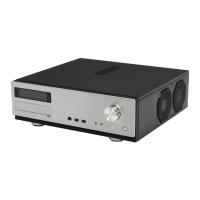
| Case Type | HTPC |
| Color | Black |

 To Next Page