Need help?
Do you have a question about the Antec 902 and is the answer not in the manual?
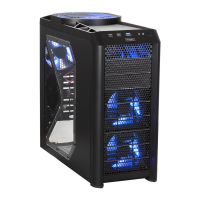
Details the physical dimensions, color, weight, drive bays, and expansion slots of the computer case.
Illustrates and labels key components and external features of the computer case.
Instructions for preparing and opening the computer case for hardware installation.
Steps for mounting and connecting the power supply unit within the case.
Guide for correctly installing the motherboard onto standoffs inside the case.
Explains the flexible drive bay configurations and fan bracket for the case.
Details the process of installing internal 3.5-inch hard drives into the HDD cages.
Instructions for installing external 3.5-inch devices using drive bay adapters.
Guide for installing larger external devices like optical drives into 5.25-inch bays.
Explains how to route and manage cables within the case's dedicated compartment.
Describes the pre-installed platform for mounting water-cooling components.
Details the case's support for multi-GPU configurations like SLI.
Instructions for connecting the front panel USB 2.0 ports to the motherboard header.
How to connect the front panel eSATA port for high-speed external storage.
Guide for connecting front panel audio jacks to motherboard audio headers.
How to connect front panel buttons and LEDs to motherboard headers.
Instructions on how to reconfigure motherboard header connectors like USB or audio.
Details the specifications and operation of the large 200mm TriCool fan.
Information on the 120mm TriCool fans installed at the front and rear of the case.
Instructions for installing optional side and middle fans for enhanced cooling.
Guide on how to locate, remove, clean, and maintain the case's air filters.
 General
| Type | ATX Mid Tower |
|---|---|
| Motherboard Support | ATX, Micro-ATX, Mini-ITX |
| Expansion Slots | 7 |
| Color | Black |
| Power Supply | Not included |
| Material | Steel |
| Drive Bays | 6 x 3.5" |
| Front Ports | 2 x USB 2.0, Audio In/Out |

 To Next Page