EasyManua.ls Logo

Antec II - User Manual

Antec II
7 pages
Print Icon
To Next Page IconTo Next Page
Loading...
User’s Manual
Manuel de l’utilisateur
Anwenderhandbuch
Manuale per l’operatore
Manual del usuario
Question and Answer IconNeed help?

Do you have a question about the Antec II and is the answer not in the manual?

Summary

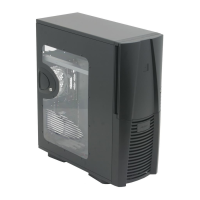
Antec PlusView II Case Overview

Initial Setup Procedures

Steps for placing the case upright and preparing it for component installation.

Power Supply Installation Guide

Instructions for securely mounting the power supply unit within the case.

Motherboard Installation

Front Panel Connections

Connecting USB Ports

Guide for connecting front panel USB ports to the motherboard header.

Connecting IEEE 1394 Port

Instructions for connecting the front panel IEEE 1394 (FireWire) port.

Audio and Device Installation

Connecting Audio Ports

Steps for connecting front panel audio jacks to the motherboard.

3.5 Device Installation

Procedure for installing 3.5-inch devices into the case drive bays.

5.25 Device Installation

Cooling System Details

Front 80 mm Fan Mounts

Information on installing 80mm fans in the front drive cages.
VGA Card Cooling

Air Filter Maintenance

Antec II Specifications

General IconGeneral
BrandAntec
ModelII
CategoryEnclosure
LanguageEnglish

Related product manuals