Need help?
Do you have a question about the Antec SONATA IV and is the answer not in the manual?
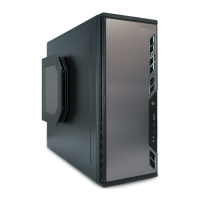
Features designed to ensure quiet and cool case operation.
Details on dimensions, weight, drive bays, and I/O panel configuration.
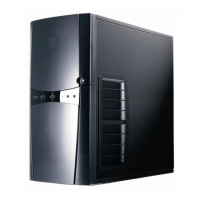
Visual layout of the computer case components with labels.
Instructions for preparing the case and identifying included hardware.
Step-by-step guide for mounting the motherboard onto standoffs.
Guide for installing 2.5-inch drives into the designated mounting space.
Instructions for mounting 3.5-inch hard disk drives using dedicated rails.
Procedure for installing devices like floppy drives with a 5.25" to 3.5" adapter.
Steps for installing devices such as optical drives into the 5.25" bays.
Method for managing and routing internal cables for better airflow.
Pinout details and connection guidance for front USB 2.0 ports.
Instructions for connecting the front panel USB 3.0 cable to the motherboard.
Pinout and connection guide for front panel audio connectors.
Instructions for connecting front panel power/reset switches and LEDs.
Procedure for reconfiguring front panel connector pinouts if necessary.
Information on the pre-installed 120mm fan and its speed control.
Guide on cleaning and maintaining the case's air filters.
 General
| Case Type | Mid Tower |
|---|---|
| Material | Steel |
| Expansion Slots | 7 |
| Motherboard Support | ATX, Micro-ATX |
| Front Ports | 2 x USB 3.0, Audio In/Out |
| Cooling System | 1 x 120mm rear fan |
| Power Supply | 620W 80 Plus Bronze |

 To Next Page