14
2.10 Expansion Slot Device Installation
When installing graphics cards or other expansion cards, you must
first remove the rear place covering the expansion slots.
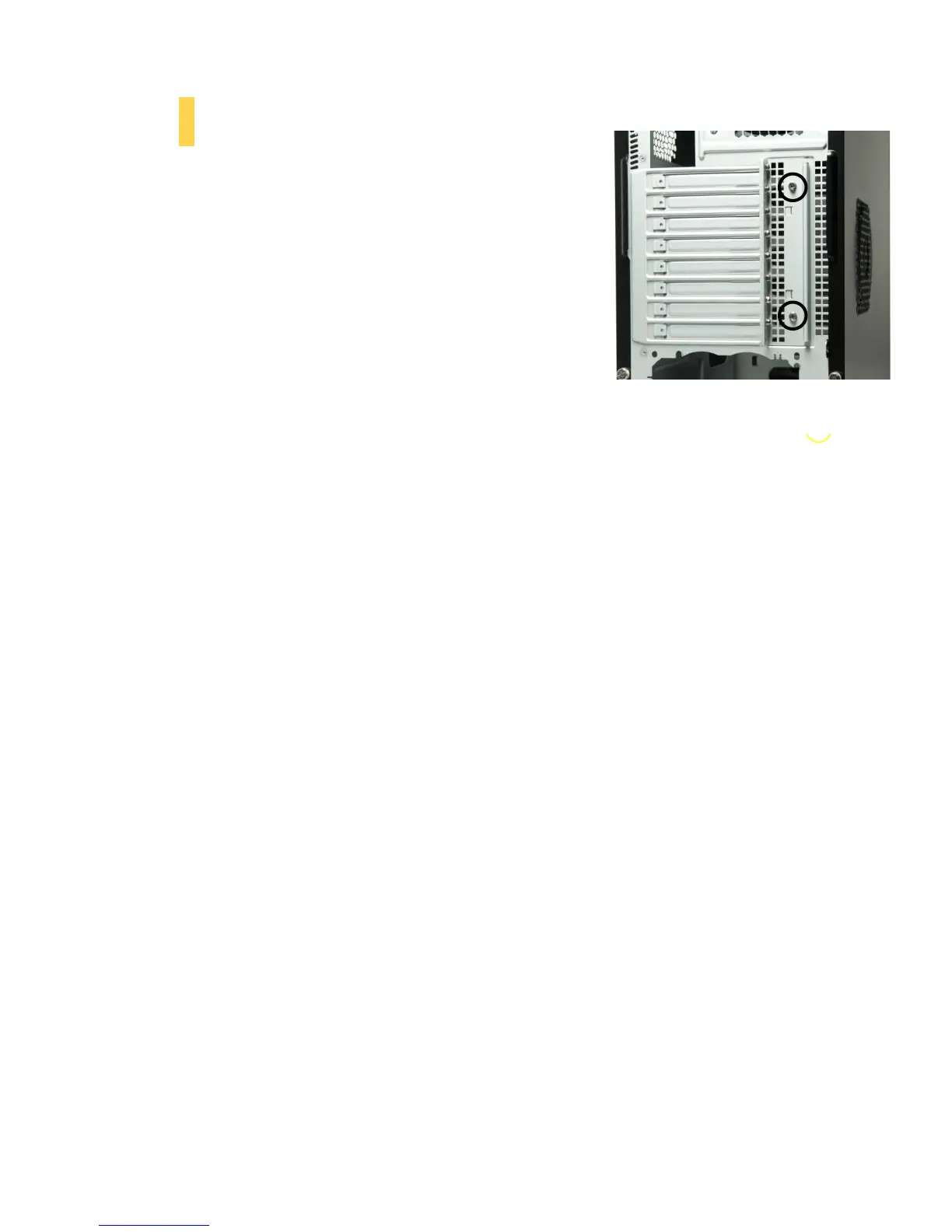
1. With the rear of the case facing you, remove the 2 screws
shown to remove the plate.
2. Install your expansion cards according to the manufacturer’s
instructions.
3. Repalce the plate and screws.
Remove these screws prior to expansion card installation



 To Next Page