21
4.2 Optional Fans
The Three Hundred Two includes mounts for up to four more fans. These mounts are as follows:
- 2 x front intake 120 mm mounts
- 1 x side 120 mm mounts
- 1 x 120 mm mount behind motherboard
Front intake 120 mm fans
1. Remove the front bezel as outlined in Section 2.2.
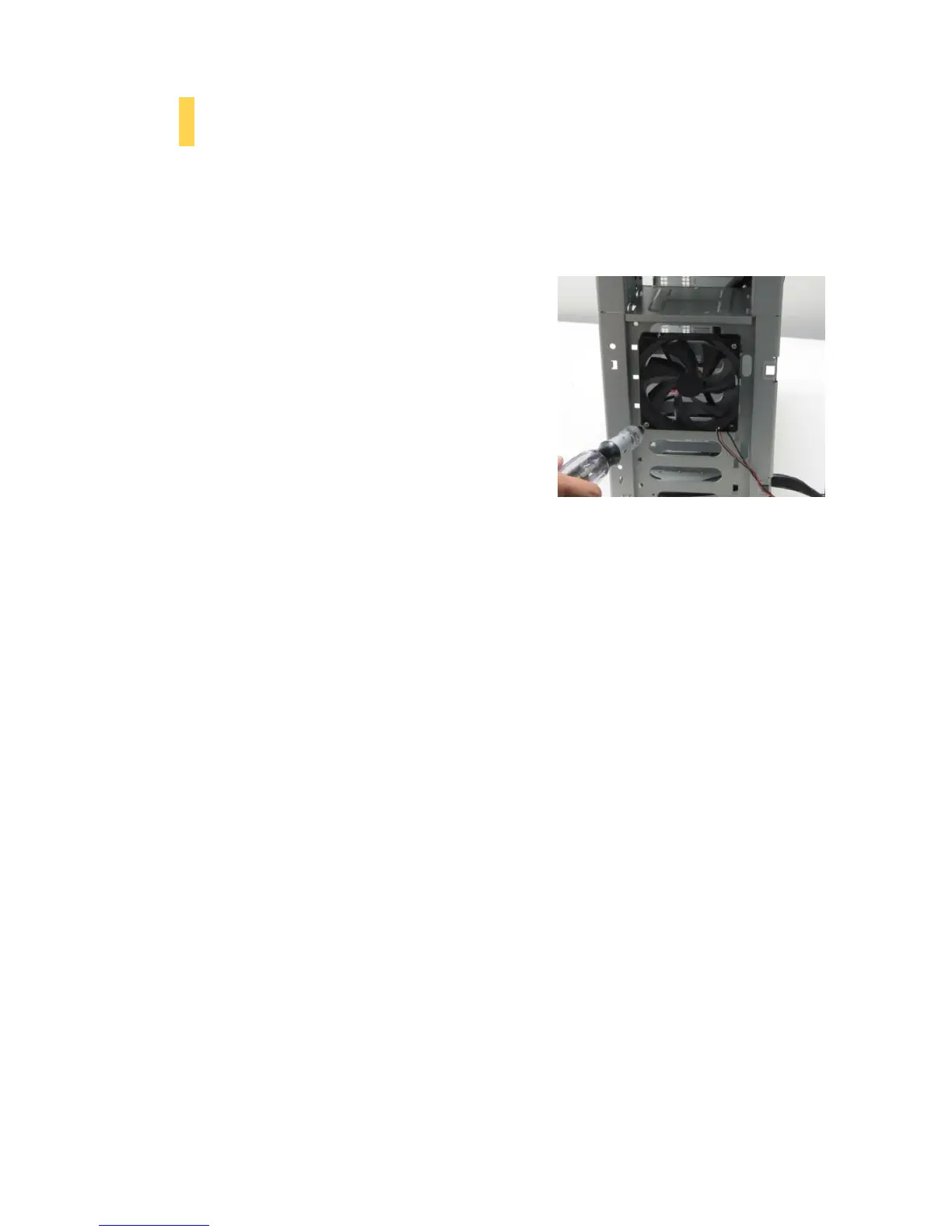
2. Align the fan with the screw holes and screw in
the fan in the top-left and lower-right holes (as
pictured).
3. Screw in the long fan screws (D in Section 1.3).
Side 120 mm fan / 120 mm fan behind motherboard
On both the left and right side panels, there are fan mounts for 120 mm intake/exhaust fans for graphics
cards and CPU cooling, respectively.
1. Align your fan with the mounting holes.
2. Screw in the fan with your fan screws.
Be sure to screw in the fan in the top-left and lower-right holes first.



 To Next Page