2
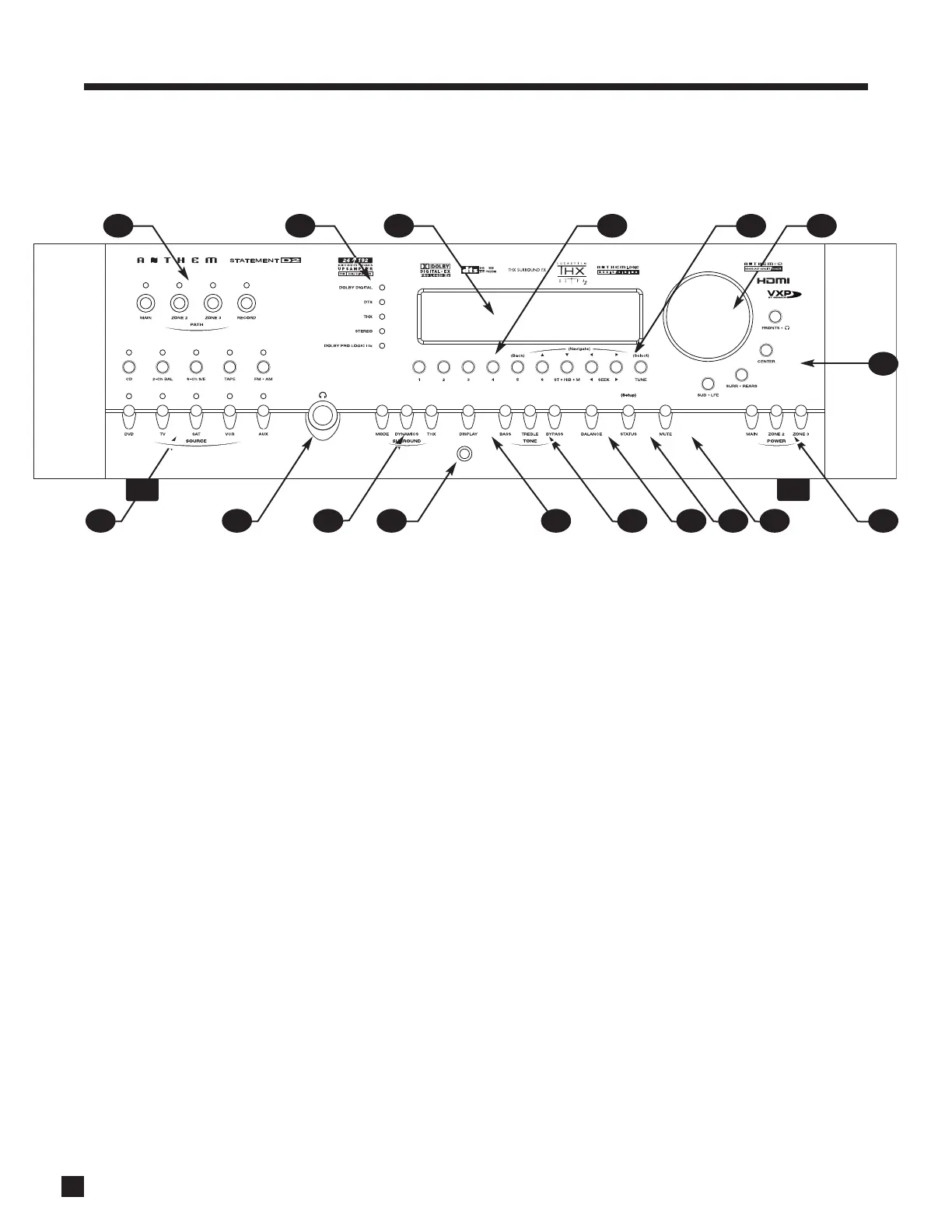
1.3 FRONT PANEL
1 – Path selection
2 – Mode and decoder indicators
3 – Display
4 –FM•AM preset selection
5 –FM•AM tuning / setup menu navigation
6 – Master Control Knob:
• Volume
• Tune for FM•AM
• Settings adjustment
• Setup for time and source naming
7 – Speaker group and headphone access
8 – Power on / standby
9 – Mute
10 – Status review / setup menu access
11 – Balance setting
12 – Bass / treble settings
13 – LED and display brightness setting / video adjustment
menu access
14 – Front panel IR sensor
15 – Surround mode / Dynamics / THX options / shortcuts
to most common video adjustments
16 – Headphone jack
17 – Source selection
1. INTRODUCTION continued …
For a larger diagram, see inside back cover.
1617 15 14 13 12 11 10 9 8
7
5 64321


 To Next Page