TF CARD INSTRUCTION
- 10 -
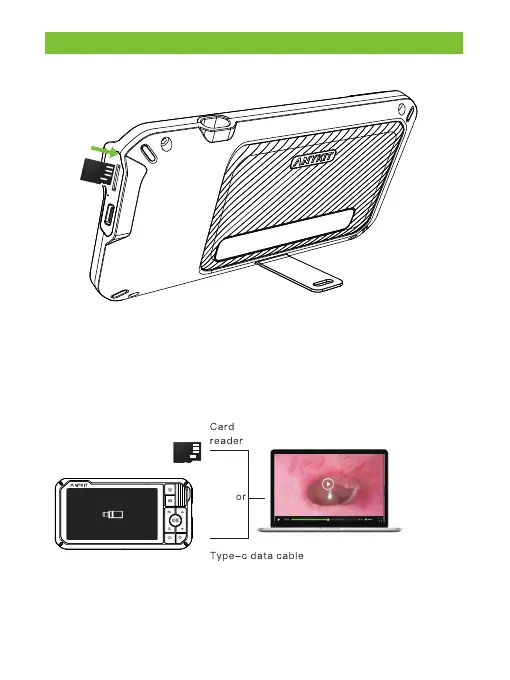
The device comes with a 32G TF card inserted in.
① Without the TF card, you can only preview the video stream.�
② Power off the device before installing or removing the TF card.
③ To ensure the device works properly, please use a Class 10
high-speed TF card.
Copy photo and video files to computer
①Use a TF card reader to copy data directly.�
②Connect the device to a computer with a Type-C data cable, power it
on for U-disk mode.



 To Next Page