ACT-5X+ Exciter User Manual
Version 1.1 5/8/2015 Page 6 of 33
1 Product Appearance
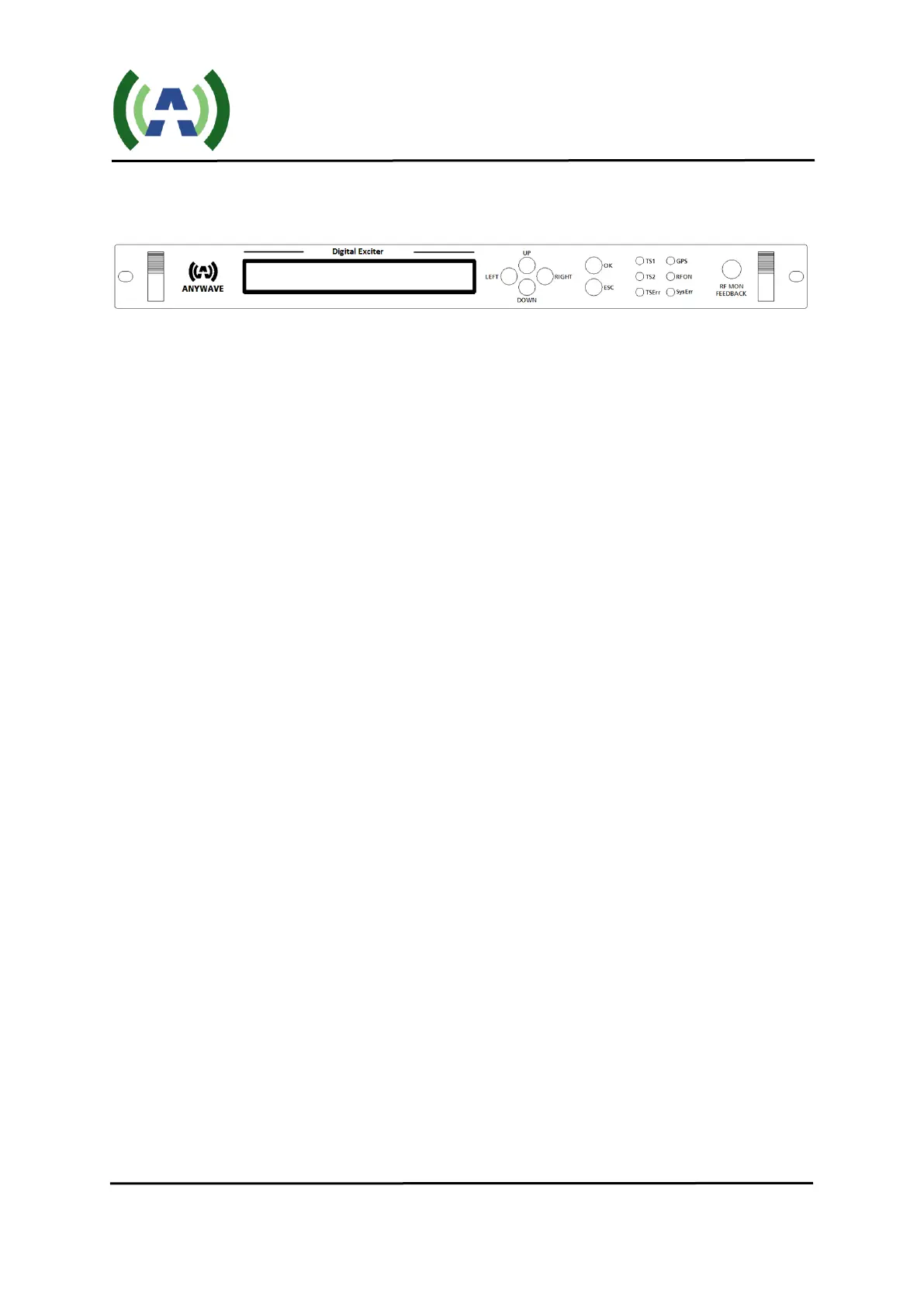
1.1 Front Panel
LCD:
40×2 LCD with power saving backlight
6 Buttons :
Left, Right, Up, Down, OK, ESC
6 LEDs:
When in Exciter mode:
LED_TS1: Green light on indicates TS1 is selected and the input TS signal is OK
LED_TS2: Green light on indicates TS2 is selected and the input TS signal is OK
LED_TSErr: Red light on indicates the selected input signal has error (Refer to Chapter 5)
When in Translator mode:
LED_ TS1: Green light on indicates the synchronization of input RF signal is OK
LED_TS2: Green light on indicates the equalization of input RF signal is OK
LED_TSErr: Red light on indicates there is synchronization error or equalization error
In both Exciter and Translator mode:
LED_ GPS: Green light on indicates GPS connected and locked
LED_ RFON: Green light on indicates system ready and RF on
LED_ SysErr: A flashing red LED indicates the presence of a system error (Refer to Chapter 5)
A solid red LED indicates the unit is in "Local (LCL)" control mode, and when this
LED is off, this indicates that the unit is in "Remote (RMT)" control mode
1 BNC connector:
RFMON: RF monitoring port of after filter feedback signal.



 To Next Page