EN 7
1
Press
to turn the speaker on. It
will enter Bluetooth pairing mode
automatically. You can also press
and hold for 3 seconds to enter
Bluetooth pairing mode.
2
Enable Bluetooth and select
"AOC O2" in the Bluetooth
list on your device for pairing.
If a message prompts for
permission for Bluetooth
connection, confirm it.
Power/Bluetooth
LED indicator
Description
Blinking white
&blue
Ready for pairing
Blinking blue
Reconnecting the last
connected device
Solid blue Connected
Turn on/off
Caution
• Risk of speaker damage! Make sure the
power supply voltage corresponds to the
voltage printed on the back or the
underside of the speaker.
• Risk of electric shock! When unplug the
USB cable, always pull the plug from the
socket. Never pull the cable.
• Use only a USB cable specified by the
manufacturer or sold with this speaker.
Note
The speaker will turn off automatically
if there is no audio signal from
Bluetooth for 15 minutes.
•
Press to turn the speaker on.
You will hear the prompt sound.
To turn the speaker off, press
You will hear the prompt sound.
again.
Play from Bluetooth
devices
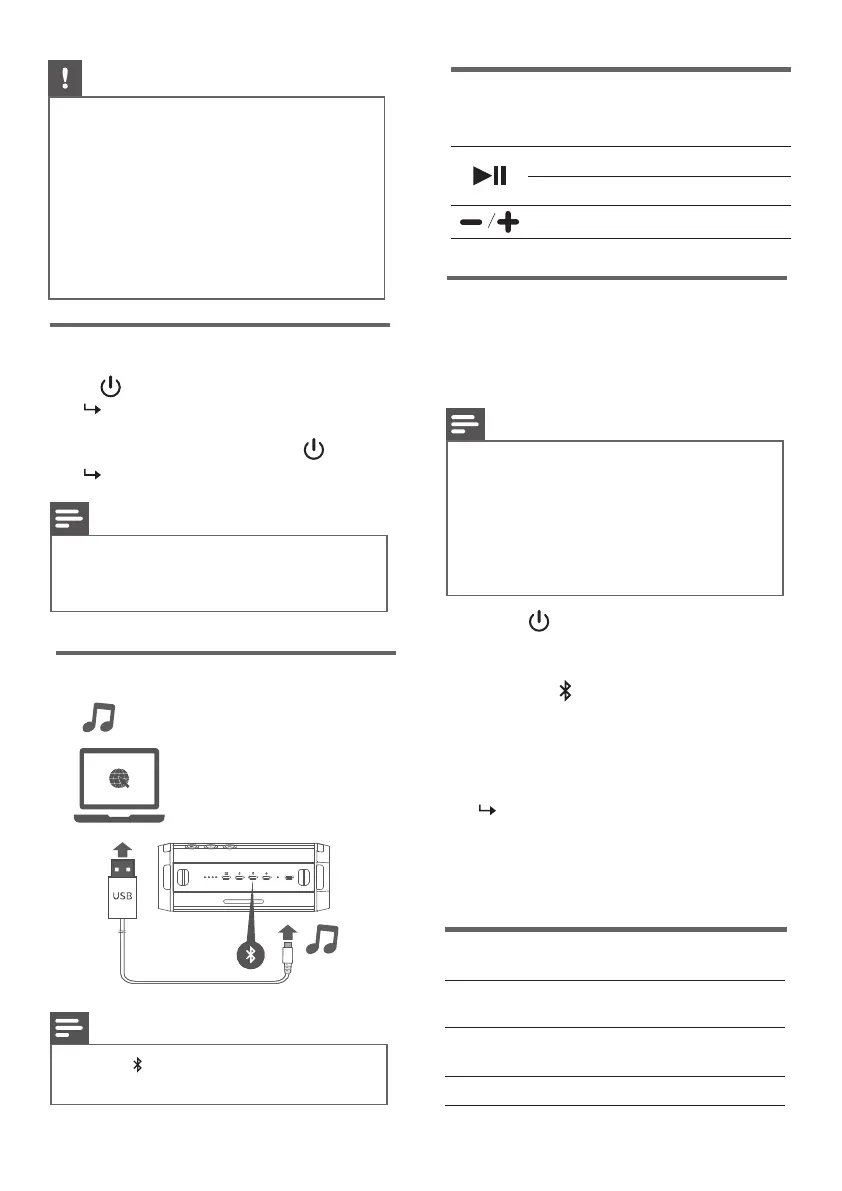
USB Audio playback
With this speaker, you can enjoy audio
from your Bluetooth device.
Note
• Make sure that the Bluetooth function
is enabled on your device.
• The maximum distance for pairing the
speaker and your Bluetooth device is
9 meters.
• Keep away from any other electronic
device that may cause interference.
Note
Press button. Select sound output
device (AOC O2 USB) on your laptop.
•
3
Play audio on your Bluetooth
device to start music streaming.
Control playback
During music playback
Press to pause or resume play
Press twice to play the next track
Adjust the volume


 To Next Page