- 23 -
Windows Vista
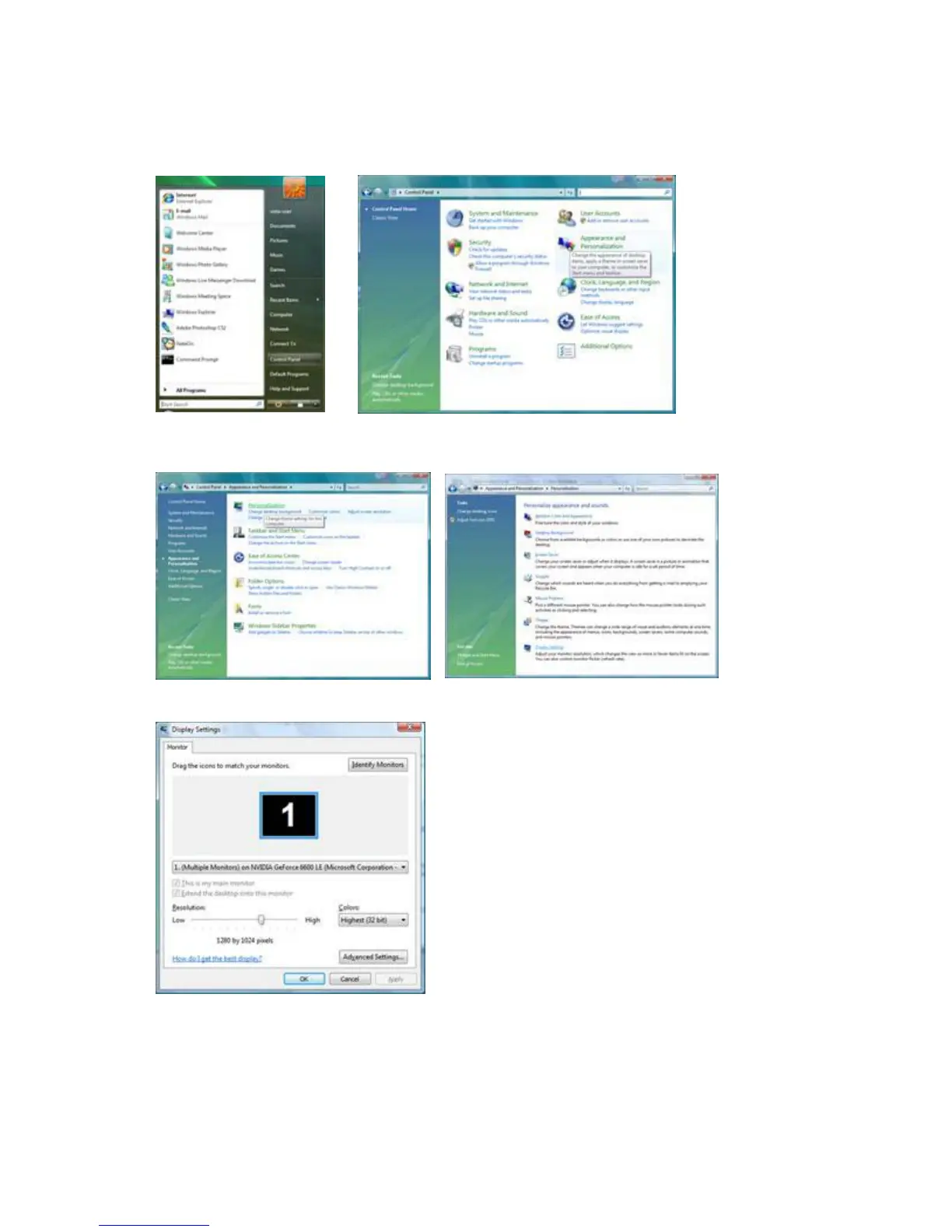
1. Click "Start " and "Control Panel". Then, double-click on "Appearance and Personalization".
2. Click "Personalization" and then "Display Settings".
3. Click "Advanced Settings...".
4. Click "Properties" in the "Monitor" tab. If the "Properties" button is deactivated, it means the configuration
for your monitor is completed. The monitor can be used as is.
If the message "Windows needs..." is displayed, as shown in the figure below, click "Continue".



 To Next Page
 Loading...